Frequently Asked Questions Before the Test
Last updated: February 24, 2026
General Questions
This section answers the general questions that you have about the HackerRank tests.
What is HackerRank?
HackerRank is a leading technology hiring platform that enables companies to hire skilled developers by conducting online assessments and interviews. Based on the skills and competencies required in candidates for a job role, hiring companies use the HackerRank platform to create assessments or schedule Interviews and invite candidates to attempt them. Programmers, university students, and job seekers in the computer science domain take part in the companies' assessments or interview processes to solve challenging questions and showcase their coding skills.
What is a HackerRank Test?
HackerRank tests are online assessments conducted by companies to assess a candidate's skills required for different roles in their organization. It contains a built-in code execution environment that supports several programming languages.
I have received an invitation for HackerRank assessment. How shall I proceed?
Typically, HackerRank Tests are the first step in a company's candidate screening process, and those who clear the test qualify for an online coding interview on HackerRank Interviews.
If you have received a HackerRank Test invite from your hiring company, log in to the test and attempt the questions within the time limit.
I am attempting a HackerRank Test for the first time. How can I prepare for a smooth experience?
In addition to preparing well before your assessment, it is recommended that you go through the following checklist for a smooth test experience.
Install and use the latest versions of Google Chrome, Edge, Safari or Firefox browsers to take your HackerRank assessments. For more information, check Browser recommendations for the best experience.
To take HackerRank Tests, you must use a PC or Laptop. Other devices(Mobile, iPad, etc) are not supported.
Ensure you have an uninterrupted internet and power supply to avoid problems during the assessments.
Use a web camera-enabled computer to take a proctored test. If your test is proctored, you will be notified in your test invitation email. For more information, check Taking Proctored Tests.
Ensure that you do not take part in any malpractices, as this can get captured in your test report and may lead to disqualification from subsequent rounds.
What kind of questions can I expect in HackerRank Tests?
HackerRank supports different types of questions across multiple programming languages. The test includes questions based on the role you have applied for and the skills required by the company.
After you open the test link from your invitation, you can see the type of questions present in the test.
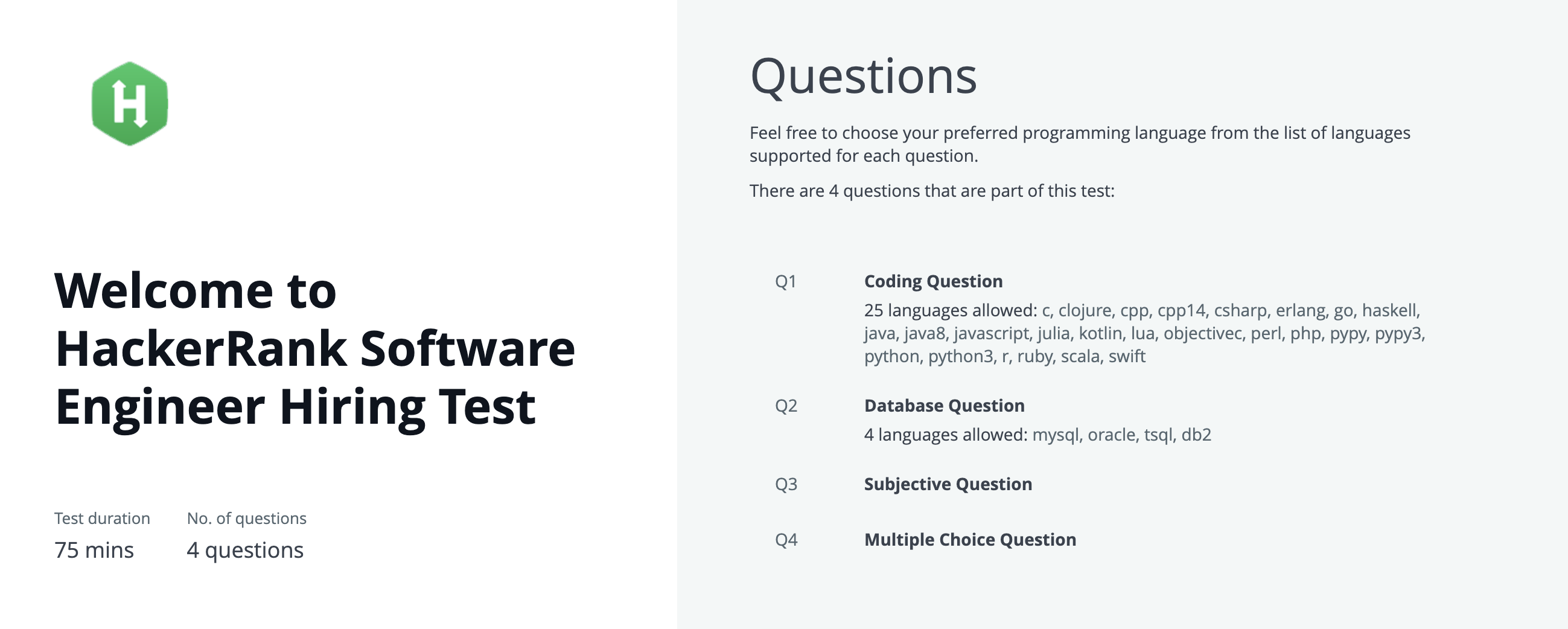
Example: If you have applied for a Front-end Developer role, you can expect coding and technical questions related to Front-end software development using Angular, React, or other frameworks.
For more information, check Question types in HackerRank.
Which browsers should I use for HackerRank Tests?
HackerRank Tests are best supported on the latest versions of Google Chrome or Mozilla Firefox.
For more information, check Browser Recommendations for the Best Experience.
Are FAQs accessible during the Test?
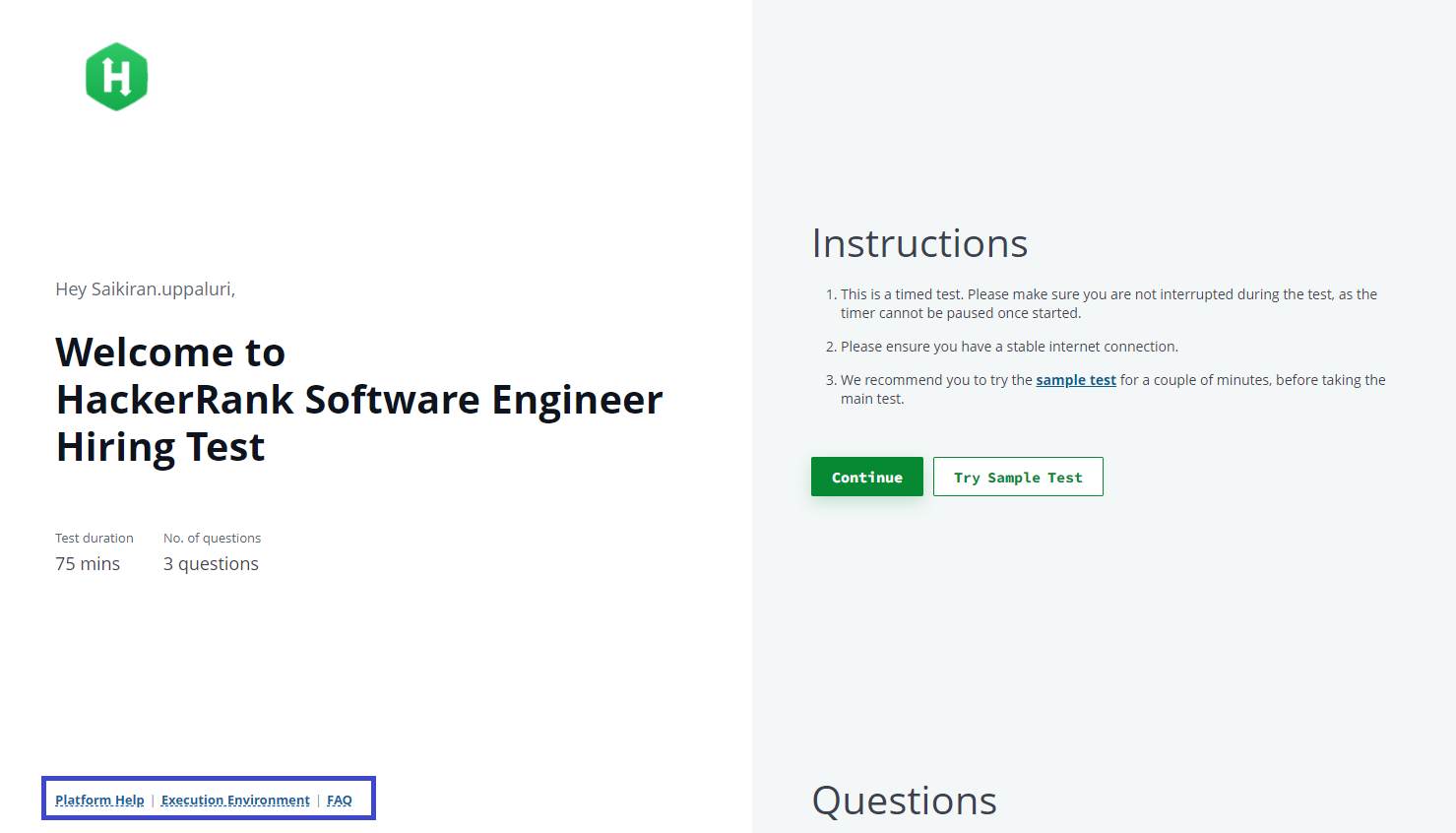
Yes, you can see Platform Help, Execution Environment, and FAQ on the lower left of the screen, as shown in the image.
Platform Help- Access the HackerRank candidate support page to learn everything about the HackerRank platform.
Execution Environment- Time and memory limits for code execution in each programming language.
FAQs - Answers to some frequently asked questions.
Where do I learn about the Tests on Front-end, Back-end, and Full-stack Development roles?
HackerRank has a page specially prepared to answer all your queries regarding Front-end, Back-end, and Full-stack Assessments. You can access that page here.
What are the accessibility options that HackerRank Tests provide?
HackerRank is continuously trying to innovate, create, and design to provide candidates with the ability to accomplish more. One way of fulfilling this objective is by committing to a diverse and inclusive culture in the hiring space. HackerRank complies with the WCAG 2.1 AA standards to make the content accessible to a broader range of candidates with disabilities, including but not limited to blindness, deafness, cognitive limitations, and others.
For more information, check HackerRank's Approach to Accessibility article.
What should I do if I am running late for the test?
If you are running late for your test, contact the interviewer directly by replying to your invite email.
When can I take the test, or when does it expire?
You can take the test during the time window mentioned in your invitation email. If no time is specified, the hiring company has not set a deadline, and you can take the test anytime. However, we recommend taking it as soon as possible to avoid delays or missed opportunities.
If you encounter an error while accessing the test, see the 📄 Test Login Errors for troubleshooting
Can I reschedule my test on the HackerRank platform?
No. The HackerRank platform does not support rescheduling tests directly. The hiring company manages all rescheduling decisions. If you need to reschedule, contact the hiring team.
Where do I find my Candidate Reference Number?
Your Candidate Reference Number (or similar ID) is included in your test invitation email or any follow-up communication from your recruiter. If you do not see it, contact your recruiter.
Where can I find my test link?
Your test link is included in your test invitation email or any follow-up communication from your recruiter. If you do not see it, contact your recruiter.
What should I do if I receive the wrong test link?
If the test link does not match the role you applied for, contact your recruiter.
Questions Related to Logging into a Test
Here you can find the answers related to the issues you face during logging into a HackerRank test.
How can I log in to a Test?
Follow these steps to log in to a HackerRank test:
Prerequisites
You must have a HackerRank Community account to attempt a test.
You must receive an email invite for a HackerRank Test.
It is recommended to use Google Chrome, Mozilla or Firefox browsers for a pleasant experience.
Logging into a Test
Open the invite and click Start Test or click the test link provided in the email.
Use your HackerRank Community User account and log in.
Sometimes you are provided with particular credentials to log in. In such scenarios, use those credentials to log in.
For more information, check Logging into a HackerRank Test.
Where can I get my Test login credentials?
You can log in to HackerRank Tests using your registered HackerRank account. Click Sign up to create an account and log in to the test on the test login page.
However, if your hiring company requires you to log in using credentials provided by them, you must ask the recruiter who invited you to send you the login information or re-send the test invite.
HackerRank only provides a platform to conduct the challenges and cannot share any passwords for accessing a test created by a company.
When shall I login to the Test?
Make sure you log in at least a few minutes before the test expiration time so that you have enough time to fill out the login form.
Why am I not able to login to a Test?
There can be two scenarios for this problem.
Log in before the test starting time:
In your invitation, the test starting time is mentioned clearly. You cannot start the test before the given time.
Login after the test expiration time:
Your invitation email also mentions the test expiration time. You cannot log in to a test after that time is over.
Ensure to log in a few minutes before the test expiration time to fill out the confirmation form.
You can log in to HackerRank Tests using your registered HackerRank Community User account or the test login credentials provided by your hiring company.
Note: HackerRank does not share any login credentials with the candidates.
If you are still facing the same problem, the following table lists the possible causes of a login issue and describes the solutions.
Possible Causes | Recommended Solution |
Verify whether your hiring company requires you to log in with particular credentials or passwords. | Check the received test email invite for any credentials provided by the company and use them to log in. If you did not receive the credentials, contact the recruiter directly by replying to your invite email. |
You do not have a registered HackerRank Community User account. | Click Sign up in the login form to create an account and log in. Note: If you are a Recruiter using HackerRank for Work, you must Sign up for a separate HackerRank Community user account to log in to a test. |
Verify that the specified email address and password are correct. | To verify, click Forgot Password, enter your registered email address or user name, and click Reset Password.
|
An issue with the browser caching of usernames and passwords. | Your browser's cache might cause login issues. Try accessing the test in the browser's incognito mode and log in using the right credentials. |
How can I access and attempt a Sample Test?
If you are new to HackerRank, the sample test allows you to familiarize yourself with the HackerRank coding environment and platform before you take the actual test.
As a candidate who has received a HackerRank Test Invite, you can access the sample test from the Instructions section of the test Login page.
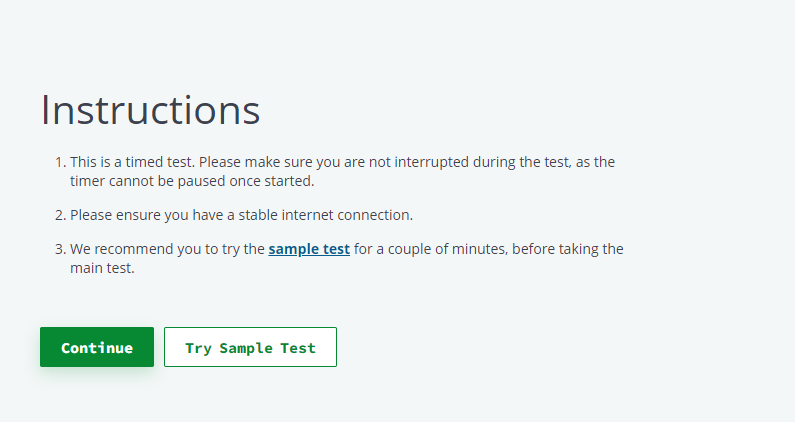
2. Click Try Sample Test.
3. Specify your email address and click Agree & Start to take the Sample Test.
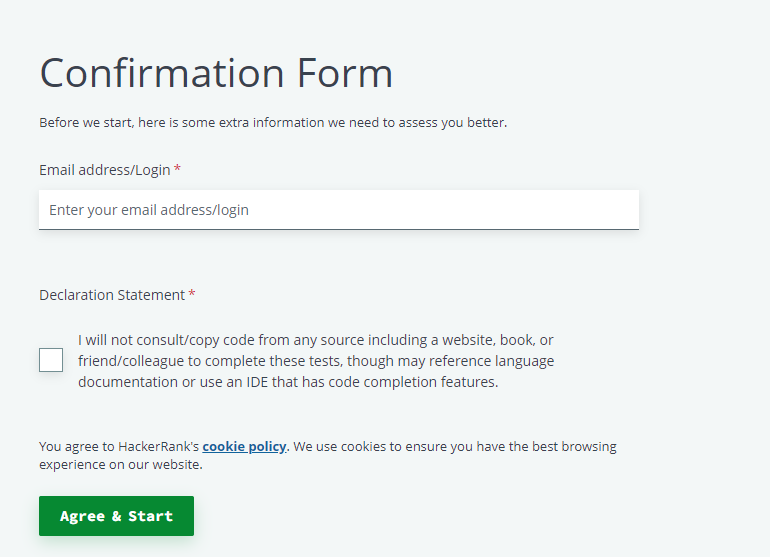
Note: You can attempt the sample test multiple times. For every attempt, you must log in with a unique email address.
Can I attempt Tests or solve questions on my phone?
It is recommended that you take the HackerRank tests or challenges on your computer using the latest versions of Google Chrome or Mozilla Firefox browsers.
Refer to the Browser recommendations for the best experience topic for detailed information.
What should I do if I have questions about the fields in the login form?
If you have any questions or concerns about the fields in the login form, contact the hiring team directly by replying to your invite email.
What accommodations are available for HackerRank tests?
HackerRank supports an inclusive hiring experience and complies with Web Content Accessibility Guidelines (WCAG) 2.1 Level AA standards.
The platform supports candidates with visual, auditory, cognitive, and other disabilities. For more information, see 📄 HackerRank's Approach to Accessibility.
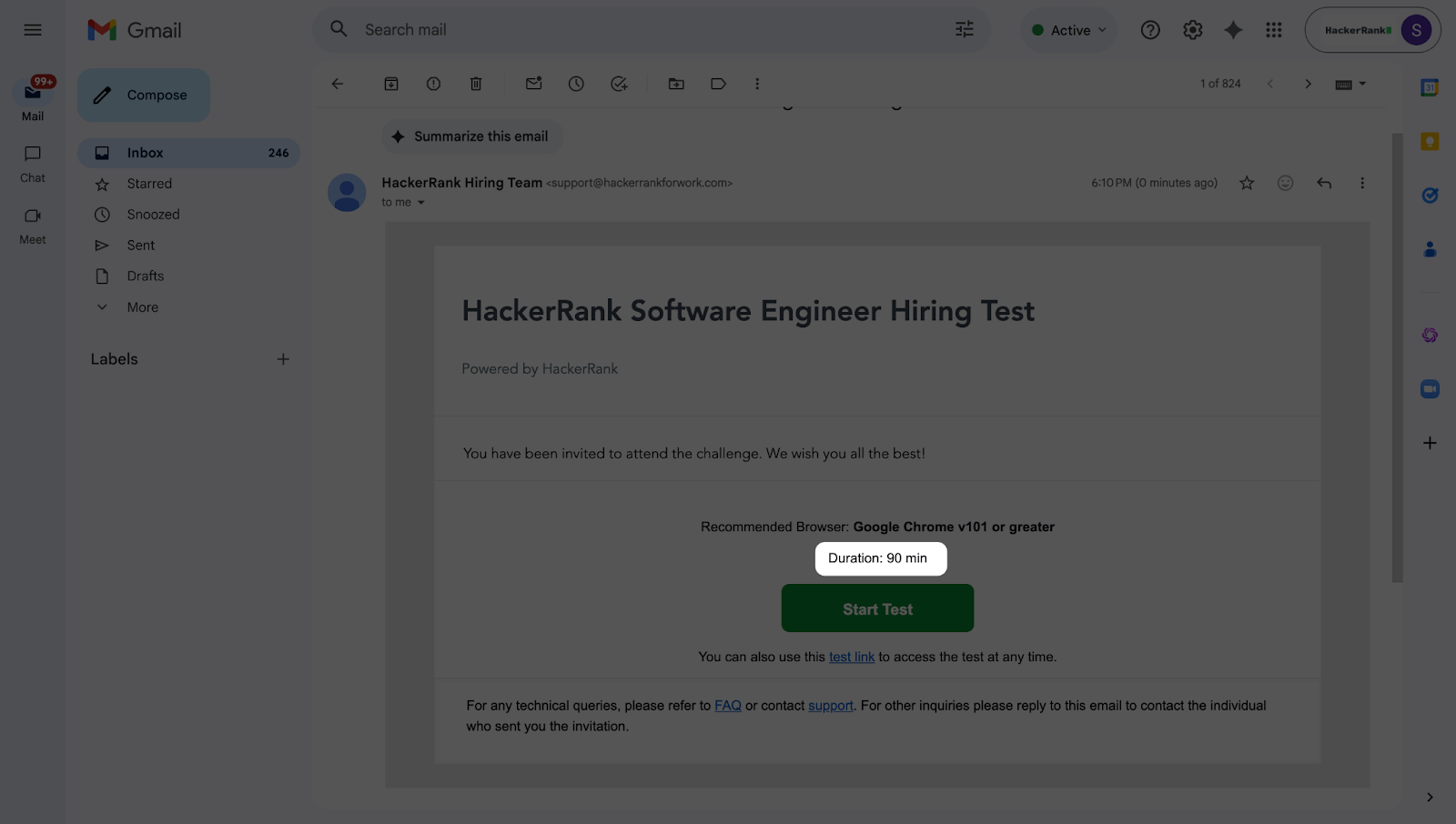
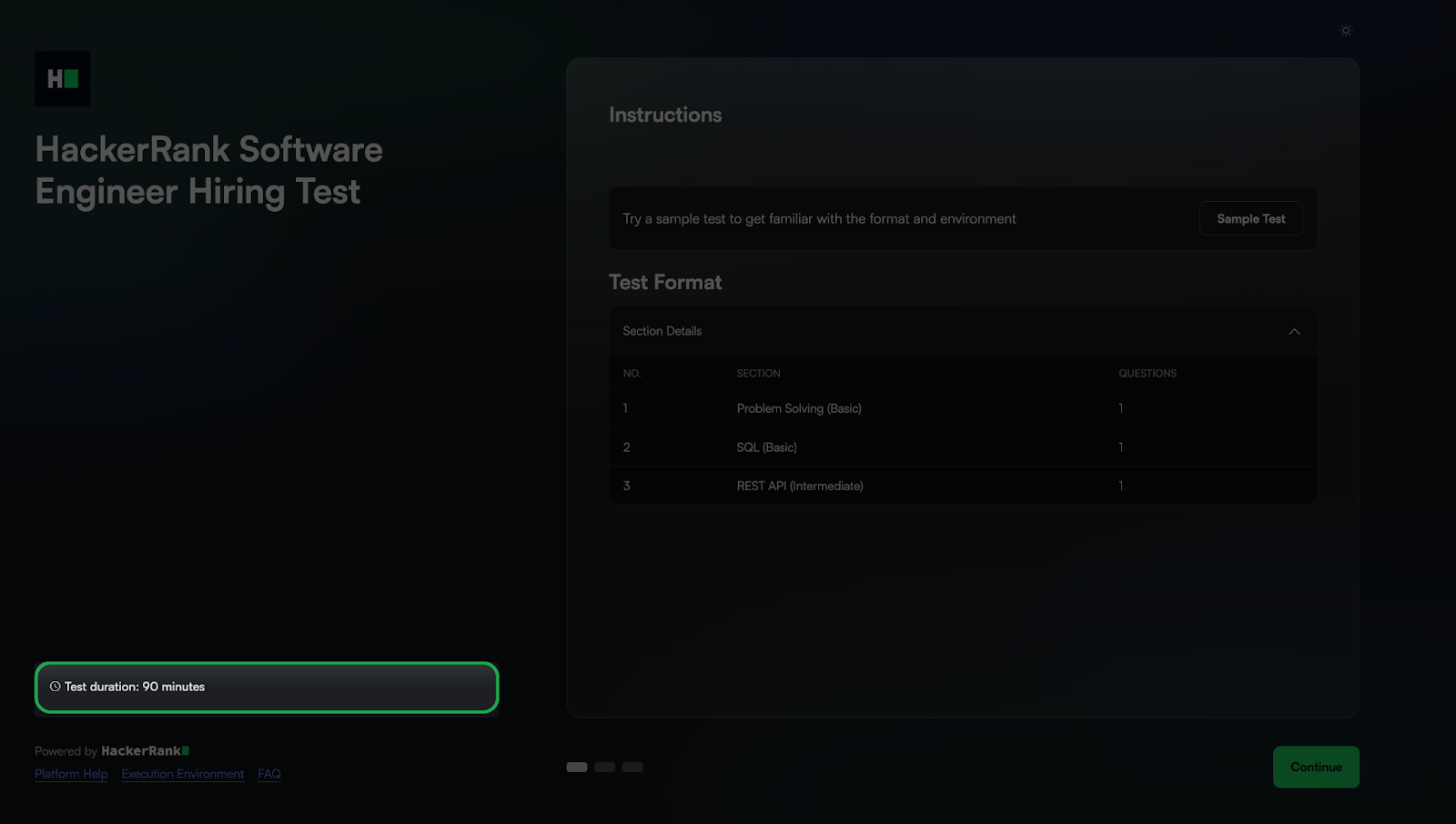
How do I check the duration of my test?
Your recruiter sets the test schedule and duration.
You can check the test duration in:
The test invitation email.
The test login page.
Questions Related to Errors
This section contains questions related to errors that you may come across during a HackerRank test.
What does the ‘Insufficient Account Balance’ error message mean?
HackerRank for Work displays 'Insufficient Account Balance' when a recruiter has run out of test invites. If you see this message while trying to start a test attempt, you must contact the recruiter directly and let them know about the error message. The recruiter can, in turn, get in touch with the HackerRank for Work team to secure more invites.
Why do I see a "Test is No Longer Available," message?
The test might not be available due to any of the following reasons:
The test link has expired. This means that the recruiter had set a test expiry date, after which the candidates could not access the test.
The test might have a particular scheduled time. However, you might be trying to access it at a time that falls outside the scheduled time.
The test owner might have deleted the test.
You can contact the recruiter and request a new test invitation to resolve this problem. HackerRank cannot reset the link without explicit communication from the concerned recruiter.
What should I do if my webcam is not working?
If you are attempting a proctored test, use a webcam-enabled computer for the test. You can check your webcam status here. If your webcam is not detected there, it could mean a driver-related issue within the Operating System.
Here are some quick troubleshooting tips if your webcam is working but still getting the error.
Restart your computer.
Use the latest version of Google Chrome or Mozilla Firefox while attempting the test.
Turn off any active anti-virus software on your computer.
Update or reinstall your webcam driver.
You can refer to the Webcam Troubleshooting Guide for more troubleshooting tips.
What to do if I face any issues during the Test?
Make sure you check the self-help guides present on HackerRank's support page to avoid obstacles during the exam. If you do not find a solution to your problem from the FAQs, you can raise a ticket here.
What should I do if I see an infinite loading screen with the message "Provisioning servers for the test"?
If your test is stuck on the Provisioning servers for the test message, try the following troubleshooting steps:
Close the test window and reopen it using the same test link.
Open the test in a different browser. For more information, refer to the Browser Recommendations for HackerRank Tests.
Check your internet connection to ensure it is stable.
Note: For assistance, see 📄 Contact HackerRank Support.
We wish you all the best for your assessment.