Front-end, Back-end, and Full-stack Assessment FAQs
Last updated: February 24, 2026
Workspace and IDE
Why does my workspace hang during the assessment?
Your workspace may hang due to:
High local memory usage by the online IDE.
Network connectivity issues.
What should I do if my workspace is unresponsive?
If your workspace becomes unresponsive:
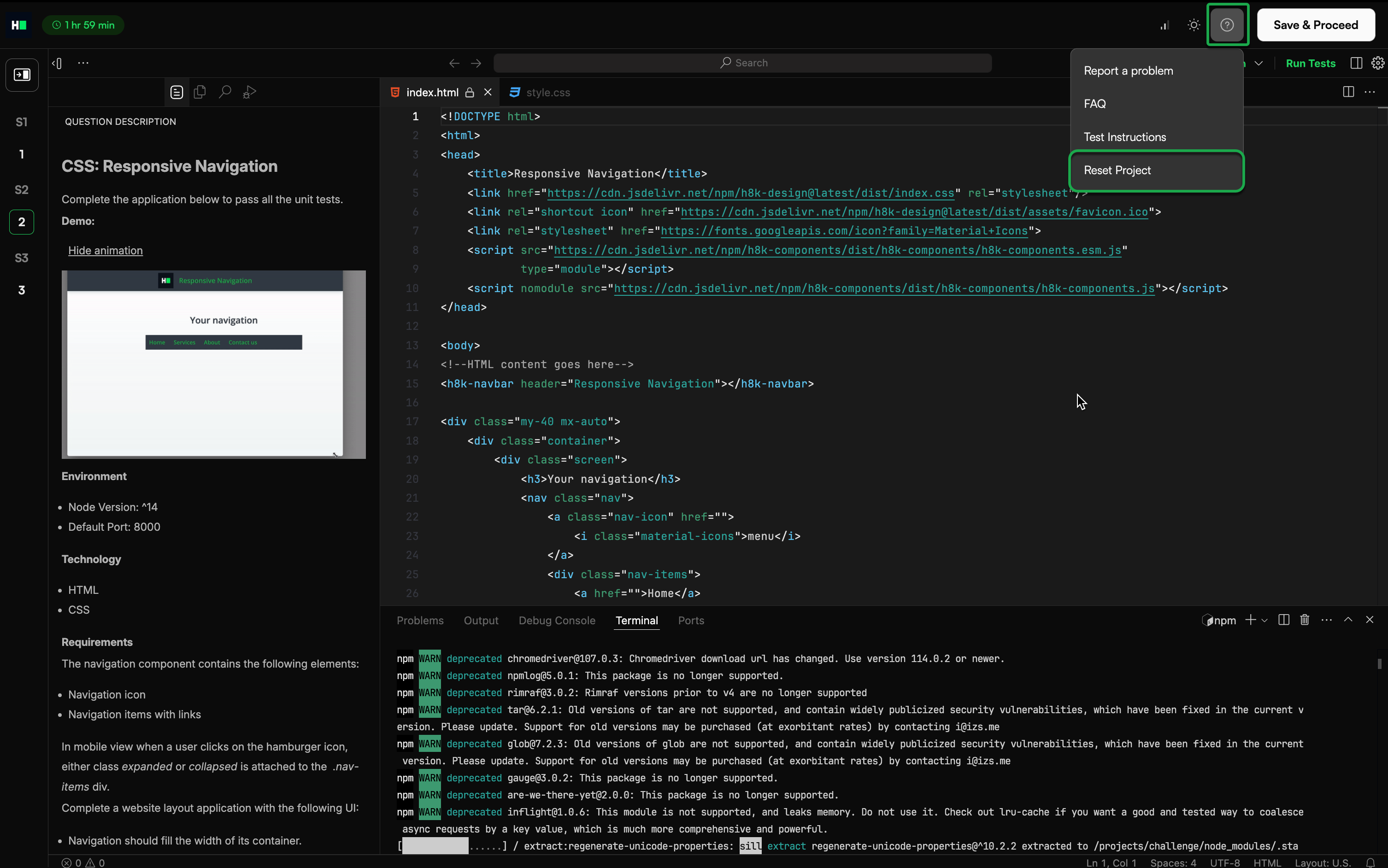
Click the question mark (?) icon in the top-right corner.
Click Reset Project.
What should I do if I lose time due to a workspace reboot?
If you experience an issue during an assessment, contact the recruiter or hiring team who invited you to the test.
HackerRank is not authorized to make candidate-specific changes or guarantee any outcome on behalf of the hiring company.
Why do I get a Port already in use error when I run my project?
You see this error when another process is already using the port assigned to your project.
To resolve the issue:
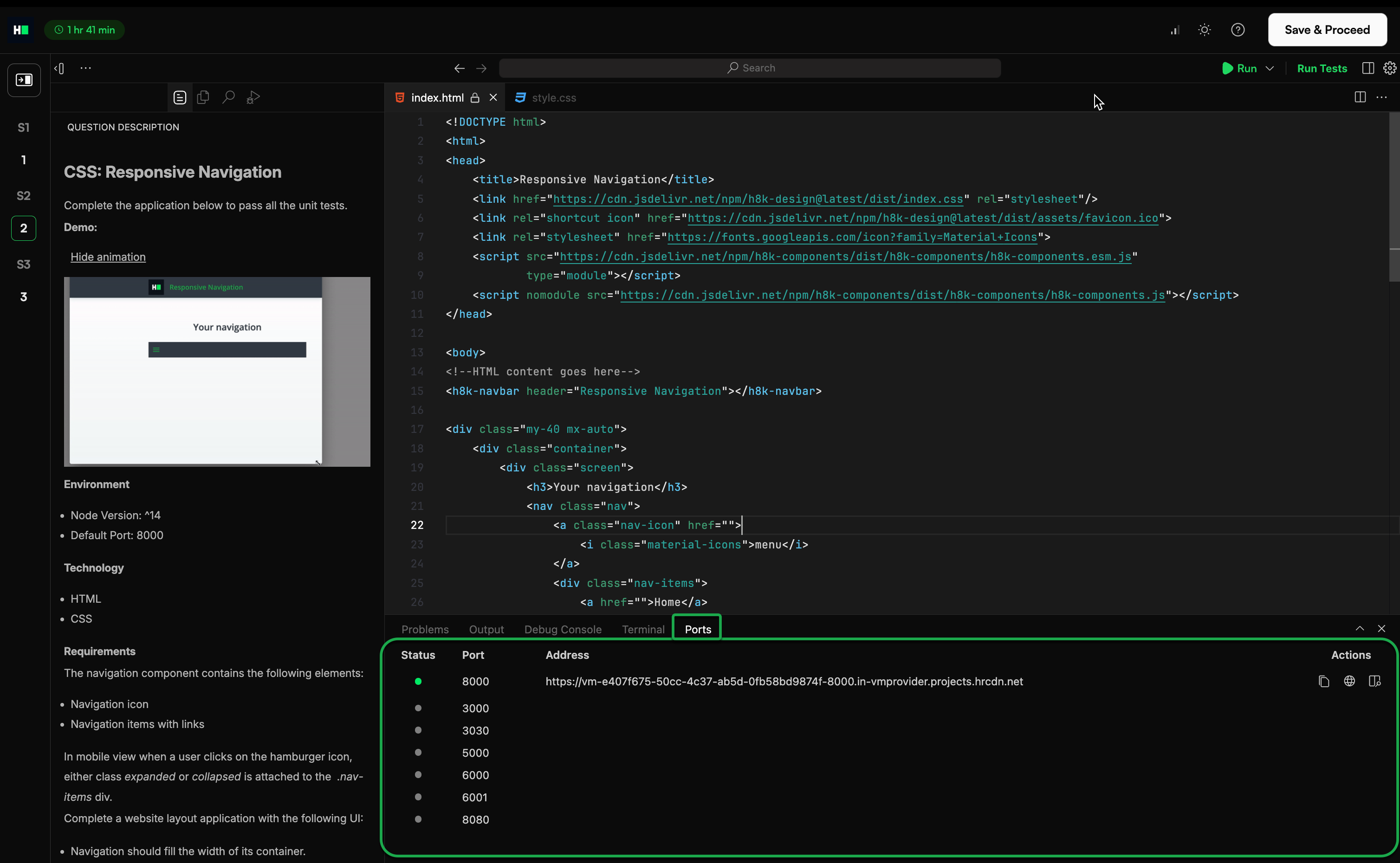
Open the Ports tab next to the terminal in the IDE.
Identify the process using the port.
Terminate the process to free the port.
Run your project again in the online IDE.
How do I check which process uses a specific port?
Run the appropriate command for your operating system.
Operating System | Commands | Syntax |
Linux or macOS |
| |
Linux or macOS |
| |
Linux or macOS |
| |
Windows |
| Where:
|
How do I stop the process using the port?
Once you identify the process ID (PID), run the appropriate commands.
Operating System | Commands | Syntax |
Linux or macOS |
| |
Linux or macOS |
| |
Windows |
| |
Why do I see a 502: Bad Gateway error in preview?
502: Bad Gateway error occurs when the application server is not fully running in the online IDE.
To resolve the issue:
Before you run the project, select Run dropdown and click Install Dependencies. After installation completes, click Run to open the Preview URL.
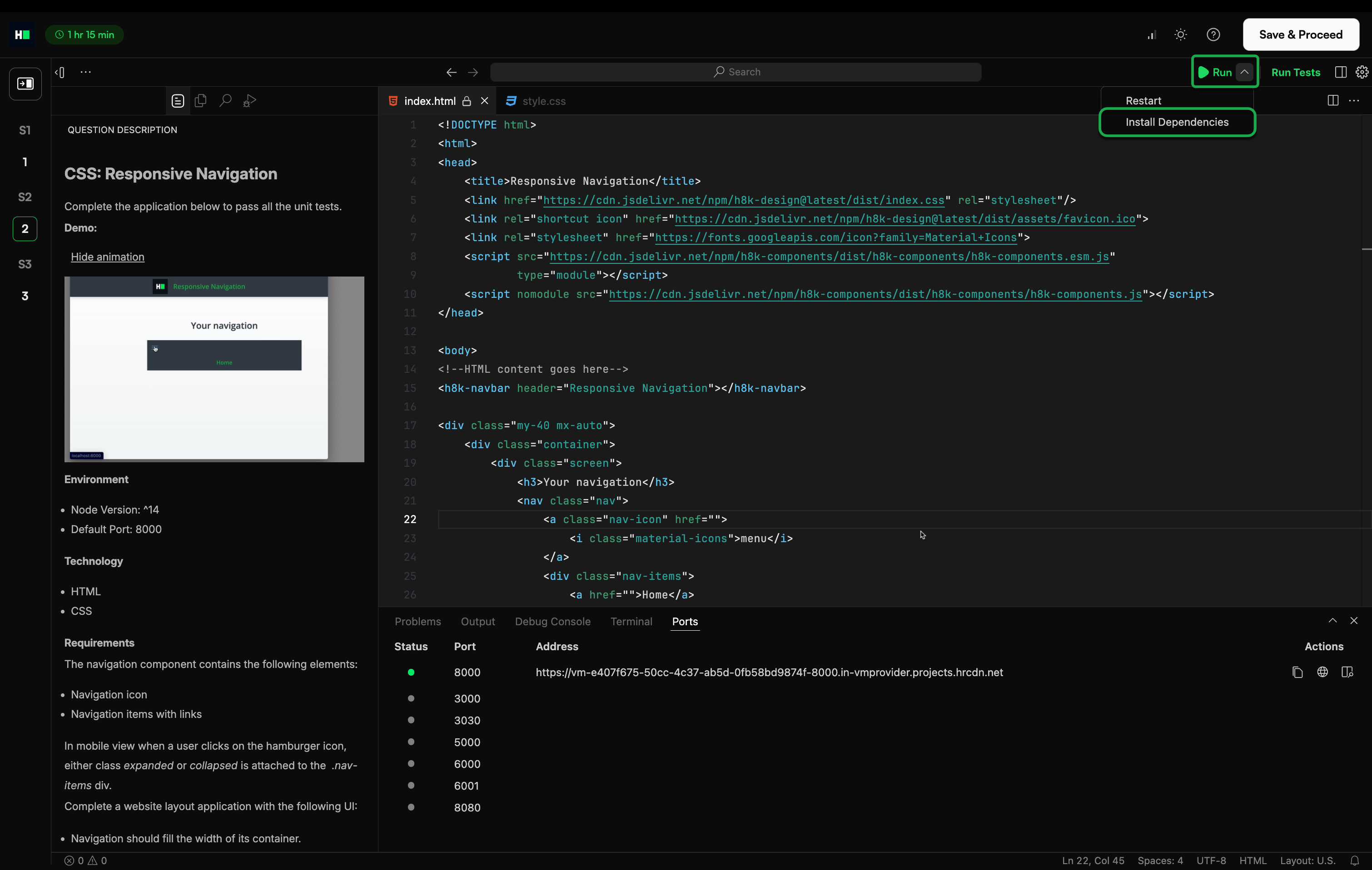
Open the Preview URL only after compilation completes and the server is running.
Click the Preview link to view your application. Do not open the local IP/network address shown in the IDE.
Git installation and configuration
How do I check whether Git is installed?
Run the following command:
$ git --versionIf a version number appears, Git is installed.
How do I install Git on macOS?
To install GIT on macOS:
Download the Git Installer for macOS.
Run the installer and follow the on-screen instructions.
Open Terminal and verify the installation:
$ git --versionIf the system displays a version number, Git is installed.
Configure your Git username and email:
$ git config --global user.name "Your Name"$ git config --global user.email "Yourname@email.com"
How do I install Git on Linux?
To install Git on Linux:
Open Terminal and update the package list:
$ sudo apt-get updateInstall Git:
$ sudo apt-get install gitVerify the installation:
$ git --versionIf the system displays a version number, Git is installed.
Configure your Git username and email:
$ git config --global user.name "Your Name"$ git config --global user.email "Yourname@email.com"
How do I install Git on Windows?
To install Git on Windows:
Download the Git Installer for Windows.
Run the installer and follow the on-screen instructions.
Open Command Prompt or Git Bash.
Configure your Git username and email:
$ git config --global user.name "Your Name"$ git config --global user.email "Yourname@email.com"
Git push and repository errors
Why do I get an error when pushing code from my local IDE to HackerRank?
This error usually occurs when you attempt to commit changes to a read-only file in the repository.
To resolve the issue:
Review the error message to identify the read-only file.
Reset the last commit:
git reset HEAD~Add only the required files (exclude read-only files):
git add config/Push your changes:
git push
What should I do if I see a Repo too large error?
The maximum allowed project size is 25 MB. If your repository exceeds this limit, Git push fails.
To resolve the issue:
Remove unnecessary files or dependencies from the repository.
Add a
.gitignorefile to exclude large files. Use a template that matches your language or framework. For more information, see Browse curated .gitignore templates.Commit and push the changes after reducing the project size.