Frequently Asked Questions During the Test
Last updated: February 24, 2026
Test navigation and timer
Does HackerRank show timer nudges or time reminders during a test?
Yes. HackerRank displays visual alerts as the test time runs out.
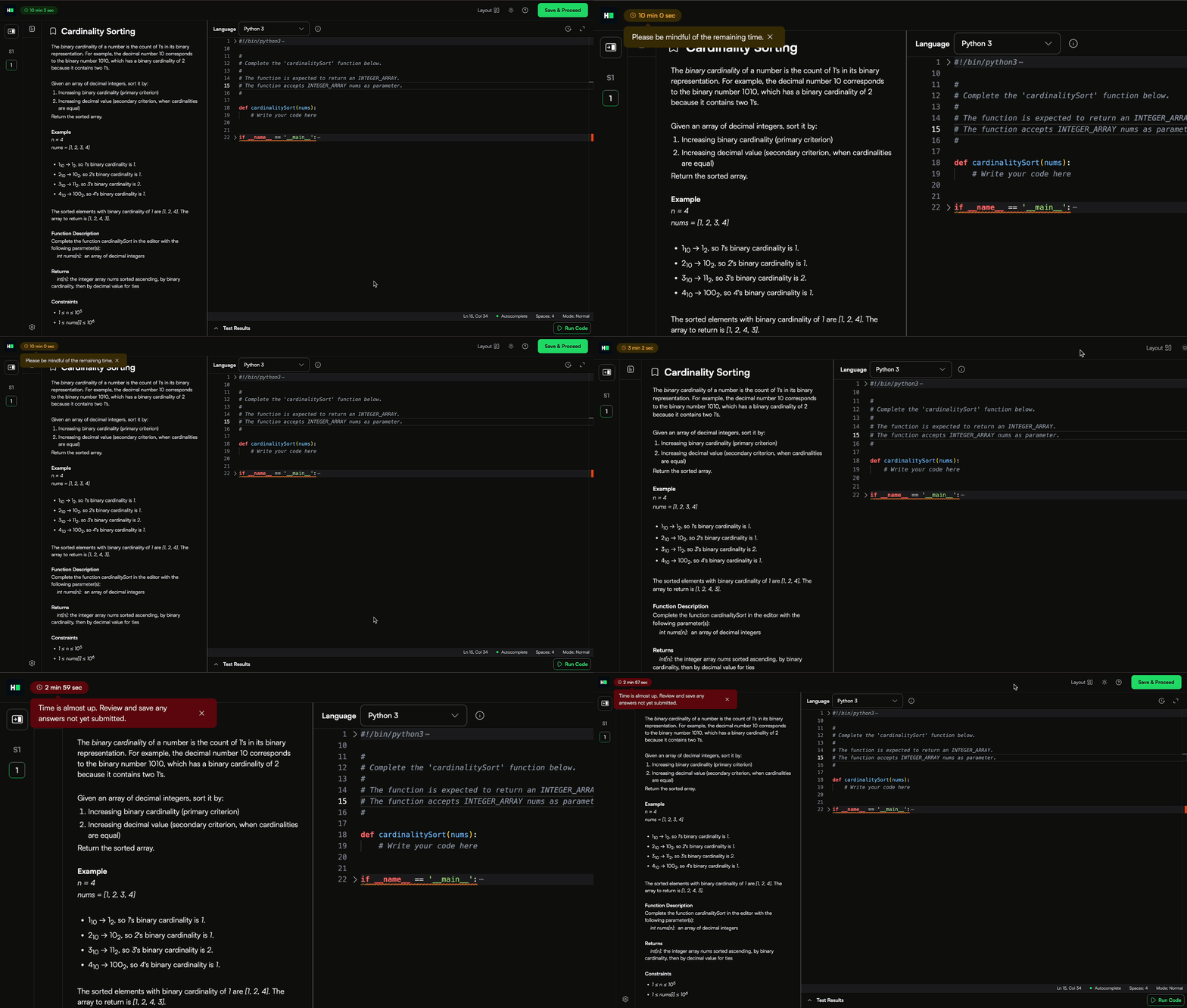
An orange alert appears during the final few minutes.
A red alert appears when time is almost up.
Can I change my answer after I save it and move to the next question?
Yes. You can navigate between questions and update your answers at any time during the test.
Click Save & Proceed to submit your updated answer. You can update your answer as many times as needed while the question remains accessible.
If the test includes timed sections, you cannot return to a section after its time limit expires.
What is the difference between Run Code and Save & Proceed?
Run code: Click Run Code to compile and test your solution.
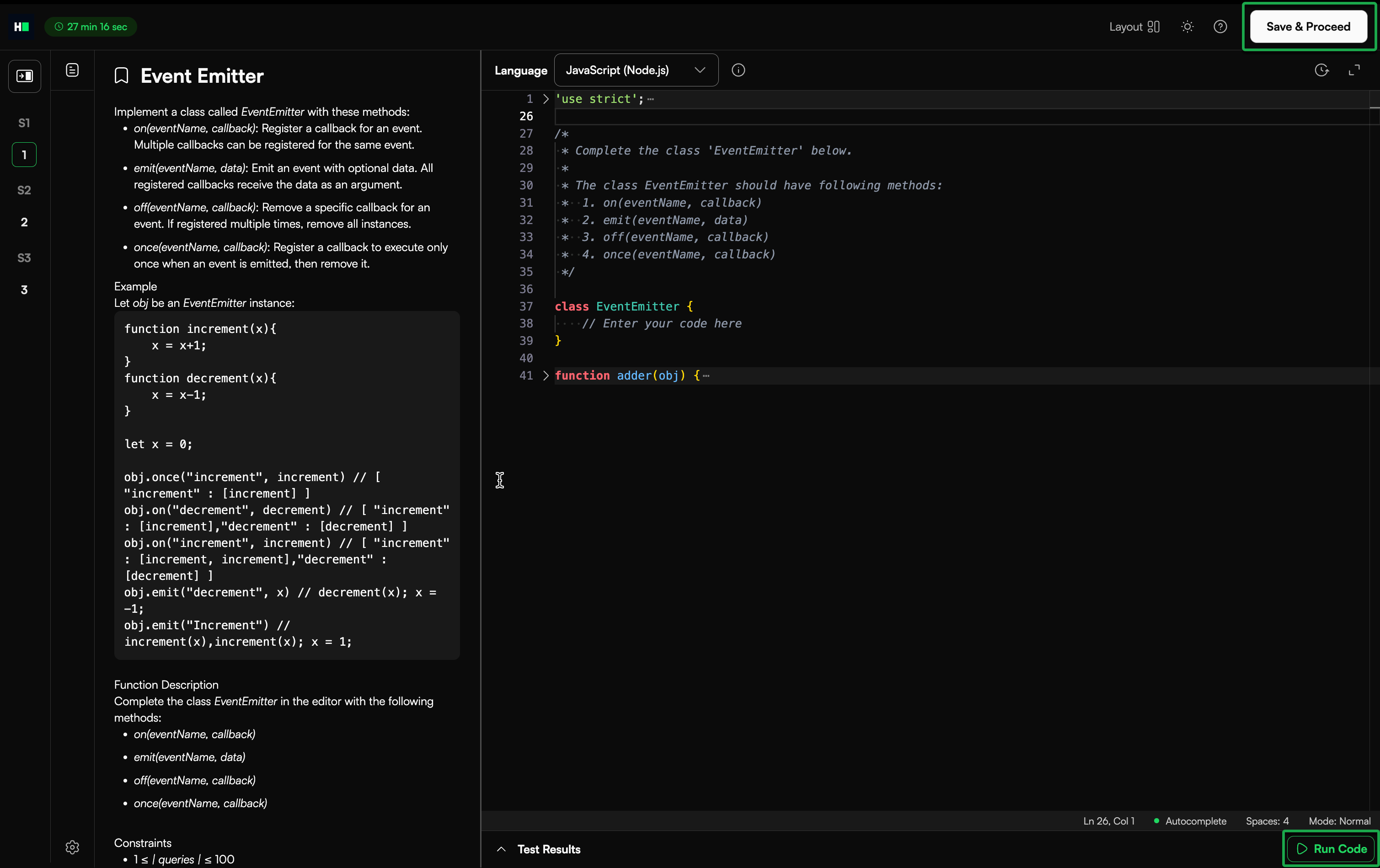
Use this option to:
Check for errors
Validate your output
Test changes while debugging
You can run your code multiple times during the test.
Save & Proceed: Click Save & Proceed to submit your solution for the question and move to the next question.
You can update your answer as many times as needed while the question remains accessible.
Note: If the test ends before you submit, the system automatically submits the last compiled version of your code.
Connectivity and access issues
What happens if I lose internet connectivity during a test?
If you lose internet connectivity during a test, the system automatically saves your submitted work.
The timer continues to run while you are offline, and the test ends at the scheduled time even if you are disconnected. You can log back in and continue the test if your allotted time has not expired.
If the interruption affects your attempt, contact your recruiter. The hiring company decides whether to extend the test duration or send a new invitation.
What happens if I log out during a test?
If you log out during the test, the system immediately ends your attempt.
If you log out before clicking Submit, the system automatically submits the latest saved code in the editor before ending the test.
Why do I see HackerRank Test platform is at capacity error?
This message appears when too many candidates are taking tests simultaneously. The system temporarily limits new logins to maintain performance.
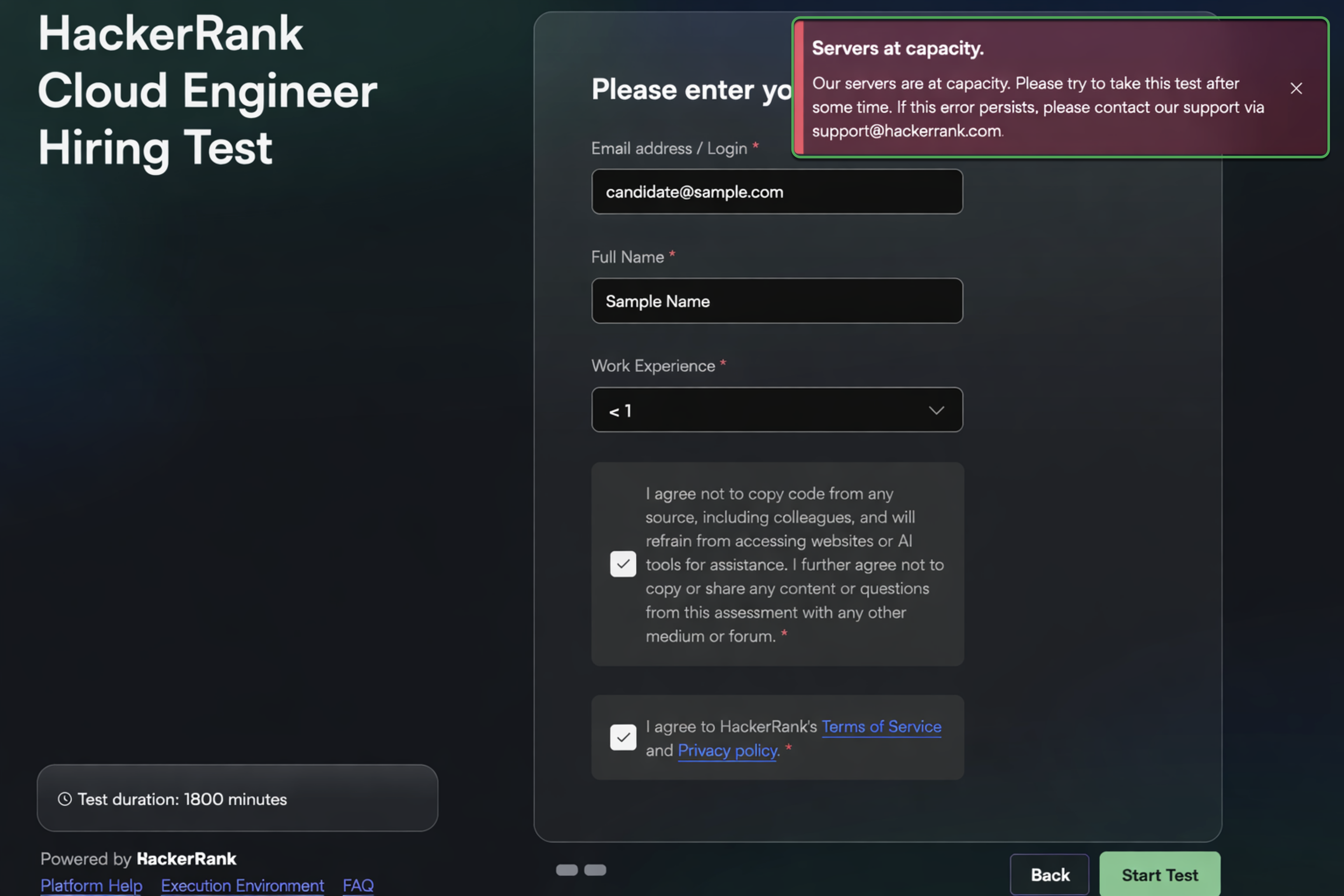
You can:
Wait a few minutes and try logging in again if your test window is still active.
Contact your recruiter if your test window is about to close and inform them about the issue.
Why are questions or images not visible in my test?
If questions or images do not load properly:
Refresh the browser tab. This action does not affect your test progress or submitted answers. You return to the same question.
Open the test in Incognito or Private Browsing mode.
Clear your browser cache and cookies, then reload the test.
What should I do if I encounter technical issues during a test?
If you experience technical issues during a test:
Review the Frequently Asked Questions.
Check the relevant articles in Candidate Support for solutions to common issues.
If the issue persists after reviewing these resources, contact HackerRank Support:
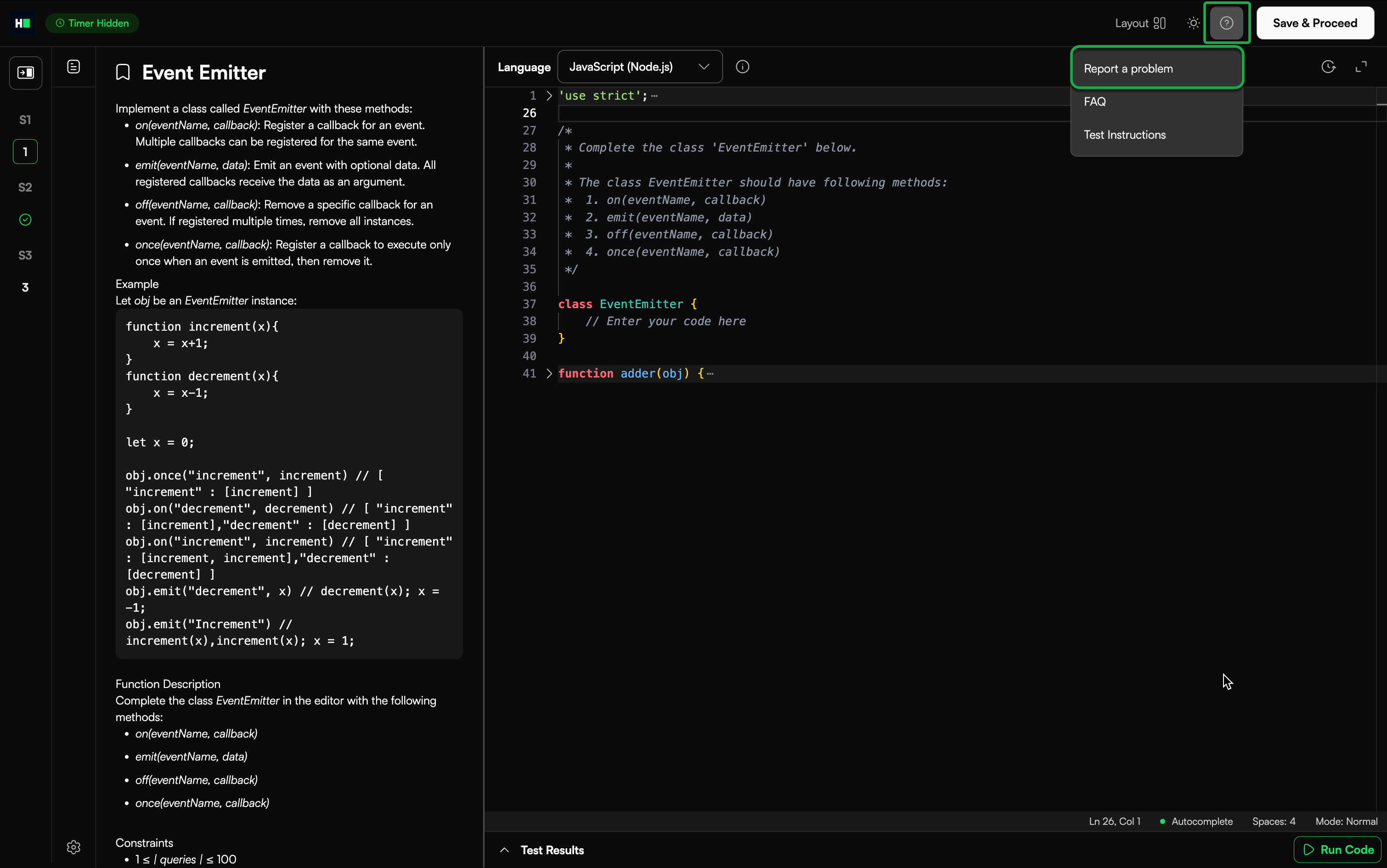
Click the question mark (?) icon in the top-right corner.
Click Report a problem.
Using the code editor
How do I choose a programming language?
Use the Language dropdown in the editor to select the programming language. The editor resets automatically when you switch languages.
You can choose only from the languages enabled for that question. The hiring company decides which languages are available based on the skills they want to evaluate.
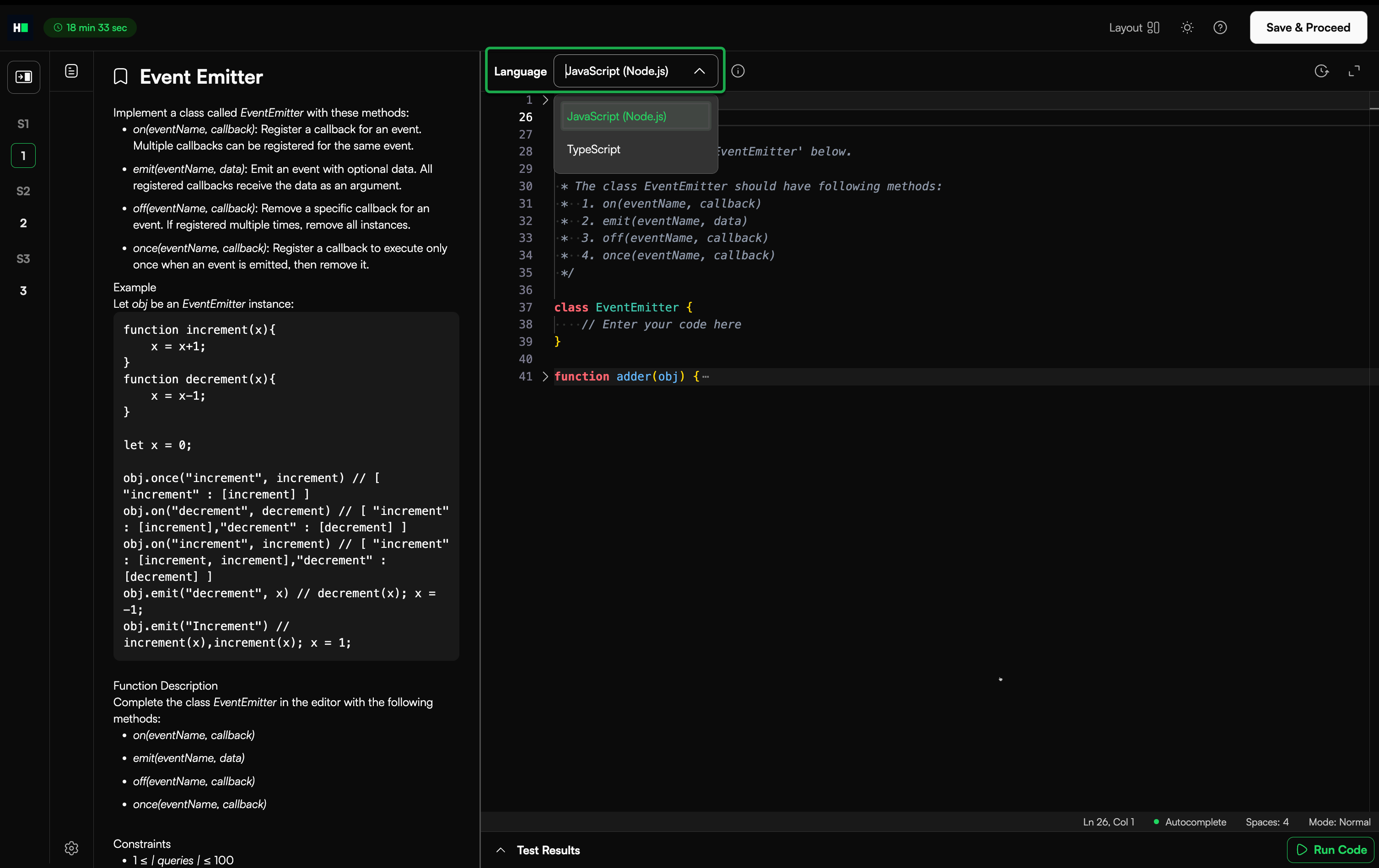
For example, if a question asks you to find the first non-repeated character in a string and the hiring company wants to evaluate your skills in C# and Python, they may enable only those two languages in the Language dropdown.
How do I view and copy the original code?
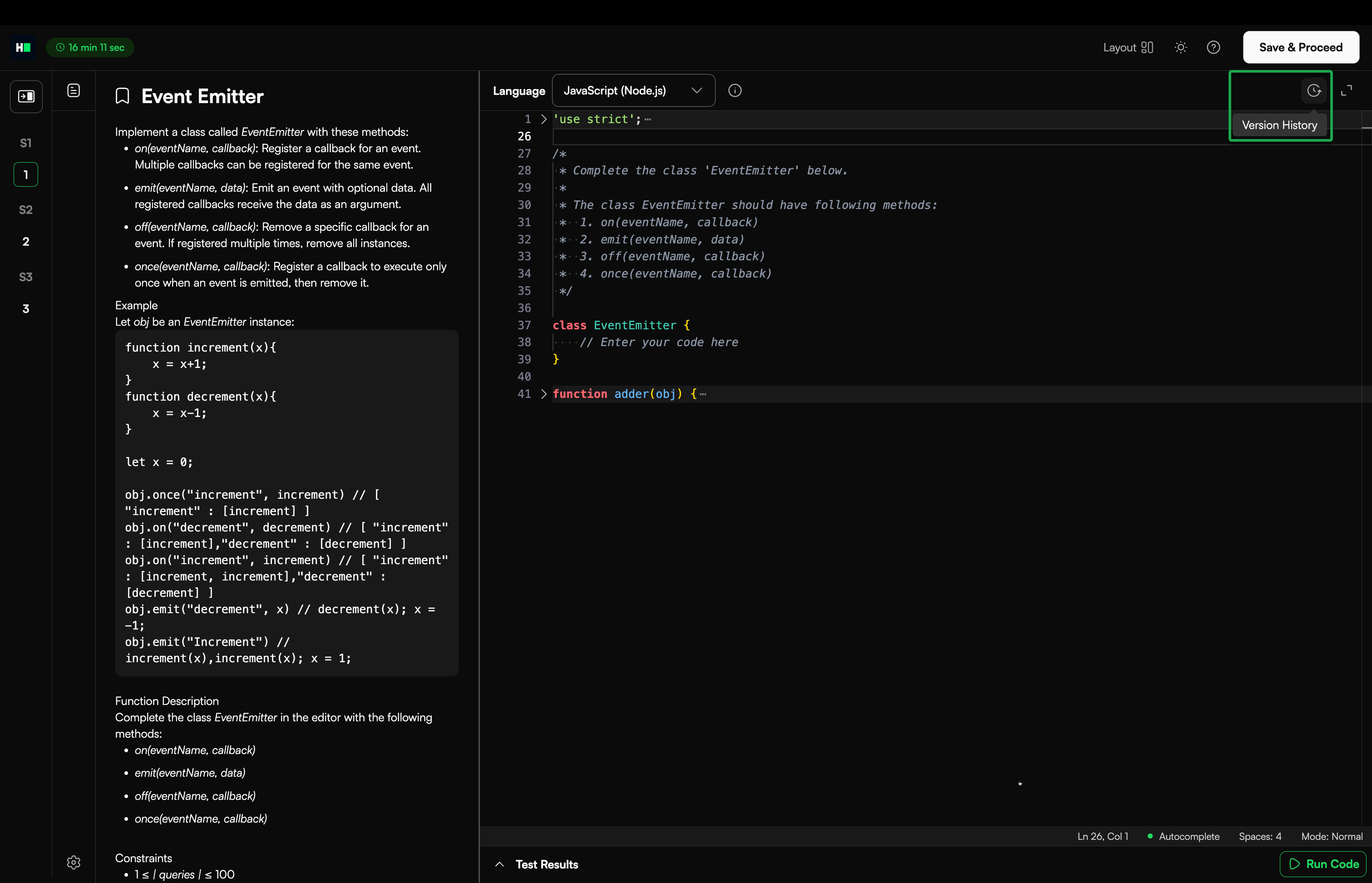
You can view the original starter code for the selected programming language from the Version History panel.
To view and copy the original code:
Click the version history icon in the upper-right corner of the editor.
View Modified Code on the left and Original Code on the right.
Copy the original code.
To restore the original starter code, click Revert to this version.
Note: The editor automatically saves your code.
Does the editor have Intellisense-like autocomplete?
Yes. The HackerRank code editor provides intelligent autocomplete similar to modern IDEs such as Eclipse or Visual Studio.
Autocomplete triggers automatically at relevant syntax points in supported languages, such as Java and Python (for example, after typing System.out.).
You can also manually trigger suggestions at any time by pressing Ctrl + Space.
Can my code write to a file?
Yes. For more information, see 📄 Writing State Information to a File.
Why does my Java, C#, or Scala code work in my IDE but fail in the test interface?
If you use Java, C#, or Scala, you must name your main class Solution. The test interface requires this class name to compile and run your code.
Do not include any package declarations in your code.
How do I read from STDIN and write to STDOUT?
Most coding questions require you to:
Read input from STDIN (standard input)
Write output to STDOUT (standard output)
Each programming language provides its own method to handle input and output.
The following example demonstrates common approaches across languages.
Example problem
Write a program that reads multiple pairs of integers and prints their sums.
Input format
The first line contains an integer N, which indicates the number of test cases.
Each of the next N lines contains two space-separated integers.
Sample input
3
1 5
3 10
999 -34343
Sample output
6
13
-33344
Example solutions
Below are common ways to read from STDIN and write to STDOUT in different languages.
C
#include <stdio.h>

int main() {
    int n, a, b;
    scanf("%d", &n);

    for (int i = 0; i < n; i++) {
        scanf("%d %d", &a, &b);
        printf("%d\n", a + b);
    }
    return 0;
}
C++
#include <iostream>using namespace std;

int main() {
    int n;
    cin >> n;

    for (int i = 0; i < n; i++) {
        int a, b;
        cin >> a >> b;
        cout << a + b << endl;
    }
    return 0;
}
Java
import java.util.*;

class Solution {
    public static void main(String[] args) {
        Scanner sc = new Scanner(System.in);
        int n = sc.nextInt();

        for (int i = 0; i < n; i++) {
            int a = sc.nextInt();
            int b = sc.nextInt();
            System.out.println(a + b);
        }
    }
}
Python 3
n = int(input())
for _ in range(n):
    a, b = map(int, input().split())
    print(a + b)
JavaScript (Node.js)
process.stdin.resume();
process.stdin.setEncoding("utf-8");

let input = "";
process.stdin.on("data", data => input += data);
process.stdin.on("end", () => {
    const lines = input.trim().split("\n");
    const n = parseInt(lines[0]);

    for (let i = 1; i <= n; i++) {
        const [a, b] = lines[i].split(" ").map(Number);
        console.log(a + b);
    }
});
C#
using System;

class Solution {
    static void Main() {
        int n = int.Parse(Console.ReadLine());

        for (int i = 0; i < n; i++) {
            var parts = Console.ReadLine().Split();
            int a = int.Parse(parts[0]);
            int b = int.Parse(parts[1]);
            Console.WriteLine(a + b);
        }
    }
}
Test cases and evaluation
What are test cases?
Test cases are predefined inputs that evaluate your code.
A test case passes when your output exactly matches the expected result. If it does not match, the system marks it as Wrong Answer.
How do I test my code?
Click Run code to compile and execute your solution against all test cases. You can run your code multiple times during the test.
If the test allows custom input, you can enter your own input values to validate your logic.
Note: Running your code does not affect your score.
You can also press Command + Return to run your code using a keyboard shortcut.
For more information, see 📄 Answer Coding Questions.
Why do sample test cases pass but others fail?
Sample test cases check basic logic. Other test cases often include edge cases and boundary conditions.
Review the problem constraints carefully and ensure your solution handles all possible scenarios.
Why is the output hidden for some test cases?
Hidden test cases evaluate how well your solution handles edge cases and different scenarios.
For these test cases, the input and expected output are not shown. This ensures your code works for all valid cases, not just the sample inputs
How do I view or download the sample input and output values?
If the question includes sample test cases, you can view and download the sample input and output from the Test Results panel.
To view or download the sample input and output:
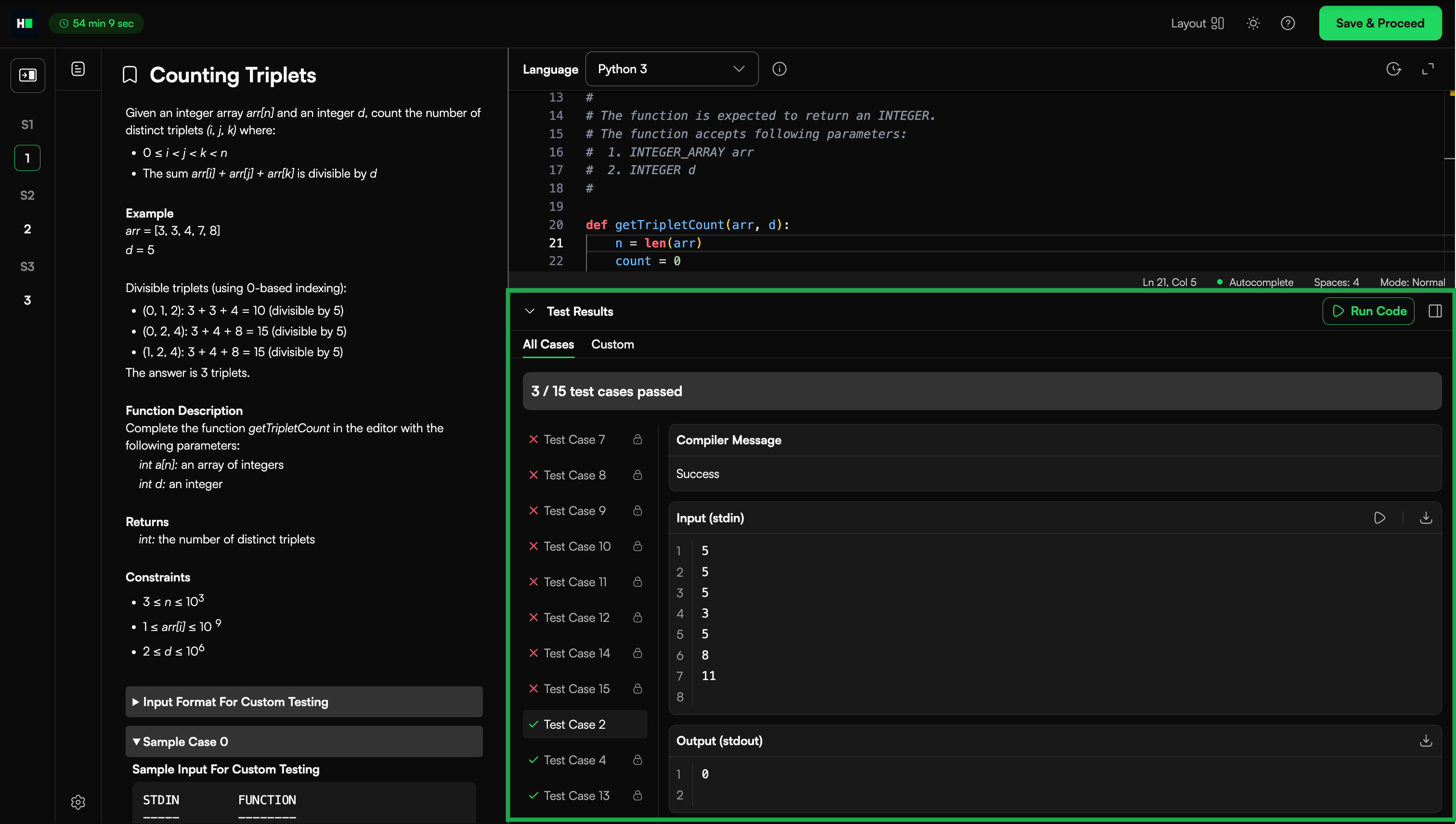
Click Run Code.
In Test Results, select a sample test case from the list.
Review the values shown under:
Input (stdin)
Output (stdout)
Click the download icon next to Input or Output to save them as text files.
The input file downloads in raw format. For example, if the question uses an array, the file may include the array size followed by the array elements.
Errors and debugging
Why do I see a Wrong Answer status?
A Wrong Answer status means your code does not produce the exact expected output for one or more test cases.
Common causes include:
Output formatting differences, such as extra spaces or missing line breaks
Logic that does not handle edge or corner cases
Debug print statements included in the final output
Incorrect variable or function names that do not match the required format
To resolve these issues:
Review your logic carefully.
Ensure your output format matches the expected result exactly.
Remove any debug statements before submitting.
Why do I see a Terminated due to timeout status when I run my code?
This status appears when your code takes longer than the allowed time to run.
Each programming language has a maximum execution time. Your solution must process all test cases within that limit.
For example:
Python: 10 seconds
C: 2 seconds
To resolve this issue, review your logic and optimize your solution to run more efficiently.
For more information, see 📄 Execution Environment.
Why does my code work locally but fail on HackerRank?
If your code works in your local environment but fails on HackerRank, consider the following reasons:
Output does not match exactly: Your program’s output must exactly match the expected output. Even small differences such as extra spaces, missing line breaks, or spelling errors can cause the test case to fail.
Different compiler or runtime environment: Your local setup may use a different compiler version or configuration than HackerRank. For more information, see 📄 Execution Environment.
Unpredictable behavior in your code: Issues such as uninitialized variables, invalid memory access, or array boundary errors (common in C/C++) can cause inconsistent results.
Review your solution carefully and ensure it handles all inputs correctly.
How can I debug and test my code?
You can debug your solution during a test using the following methods:
Use custom input: Enter custom input values and click Run Code to test different scenarios.
Add debug statements: Add temporary print statements to trace your logic and verify variable values.
For example, use
coutin C++ andprintin Python
Remove all debug statements before submitting your final solution.