AI Assistant in Interview
Last updated: September 18, 2026
The AI Assistant lets you use AI to solve questions during a live interview. The AI Assistant appears only when the hiring company enables it for your interview. If the AI Assistant does not appear for a question, the hiring company has not enabled it, or the question type does not support it.
Note: The interviewer can view your AI Assistant interactions in real time. The interview report also includes your prompts and the AI Assistant’s responses.
The following sections describe the AI Assistant capabilities available in the new and legacy Interview experiences:
New Interview Experience
Supported question types
The following table describes how the AI Assistant works for each supported question type:
Question type | Workspace | Available assistance |
|---|---|---|
Coding | Single-file code editor | The AI Assistant operates in guarded mode. You can request help with syntax, platform navigation, errors, and programming concepts. The AI Assistant does not provide complete solutions. |
Code Repos | Agentic Development Environment (ADE) | The AI Assistant operates in unguarded mode. You can use Plan mode and Agent mode to investigate the codebase, plan your approach, generate code, modify files, and resolve issues. |
For more information about using the AI Assistant in Coding and Code Repos questions, see 📄 Navigate Question Workspaces in an Interview.
Supported AI models
The AI Assistant currently supports the following models:
Claude Haiku 4.5
Claude Opus 5
Claude Sonnet 4.6
Claude Sonnet 5
Gemini-3.5 Flash
Kimi K3
GPT-5.6 Luna
GPT-5.6 Sol
GPT-5.6 Terra
GLM 5.2
To switch between models, use the model selector in the prompt field.
Note: The models available during your interview can depend on the hiring company’s configuration.
Legacy Interview Experience
The AI Assistant operates in the following modes:
Unguarded: Allows you to interact freely with the AI, similar to real-world AI coding tools.
Guarded: Provides help with syntax, platform navigation, and conceptual guidance but does not generate complete solutions.
Supported question types
The AI Assistant is available for the following question types:
Coding
Projects
Frontend
Backend
Full-Stack
Mobile
Generative AI
Code Repository
Supported AI models
The AI Assistant currently supports the following models:
Claude Haiku 4.5
Claude Opus 5
Claude Sonnet 4.6
Claude Sonnet 5
Gemini-3.5 Flash
Kimi K3
GPT-5.6 Luna
GPT-5.6 Sol
GPT-5.6 Terra
GLM 5.2
To switch between models, use the model selector in the prompt field.
Note: The models available during your interview can depend on the hiring company’s configuration.
Key features
The AI Assistant offers the following interactive features within the interview IDE:
Plan Mode: You can create and refine an implementation plan before you write any code. The AI Assistant explores the problem and produces a structured plan that covers requirements, constraints, edge cases, and suggested tests, without generating any code. When you are ready to build, switch to Agent Mode to implement the plan.
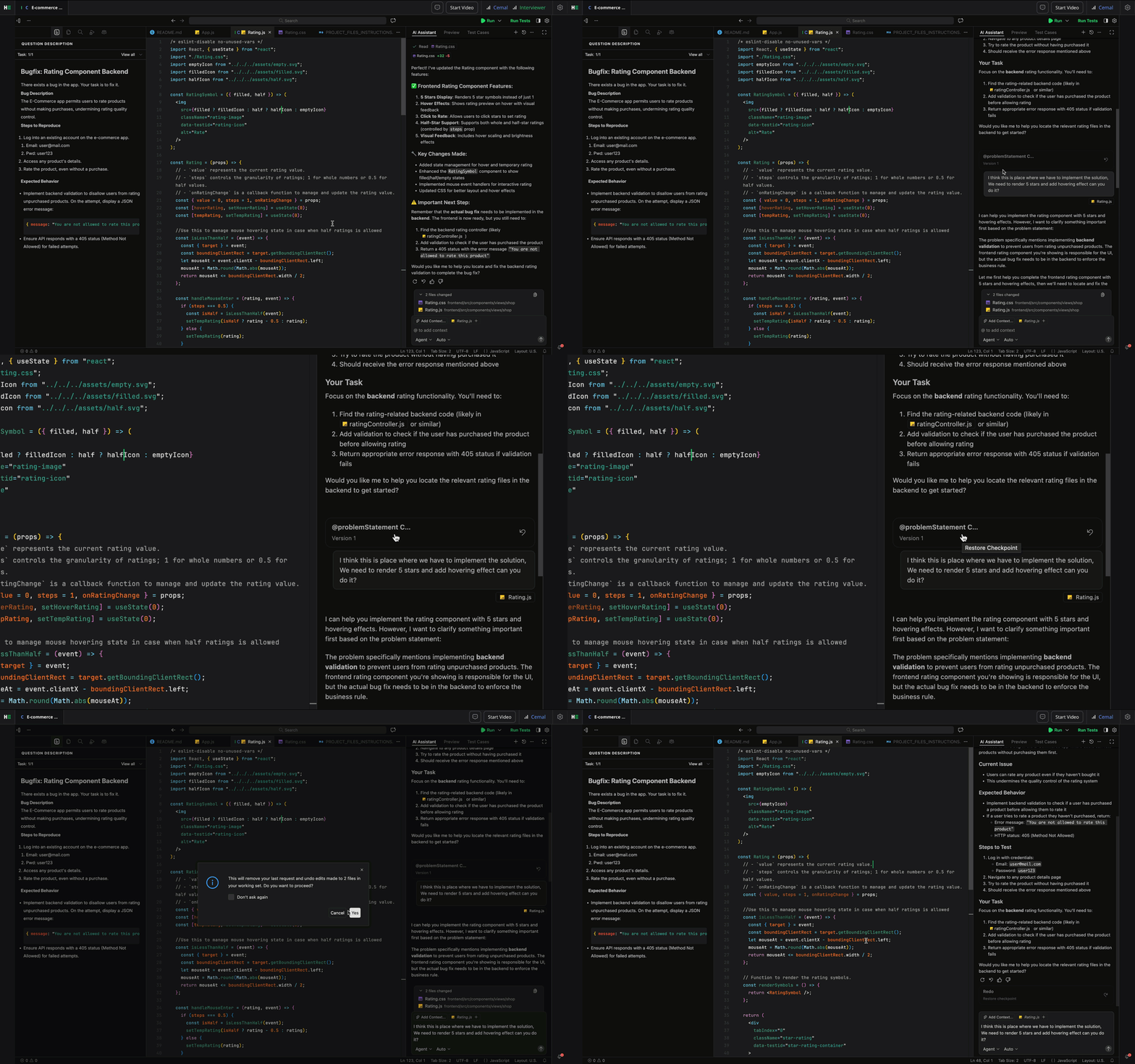
Ask Mode: You can ask questions about the problem, your code, or specific files. You must tag the
problem statementto provide context. The AI Assistant uses the tagged content to generate accurate responses.Note: You can use Restore Checkpoint to return the AI Assistant to a previous state when needed.
Agent Mode: You can switch to a mode for extended, multi-step interactions. You can ask the AI Assistant to write or edit code, explain logic, or perform tasks.
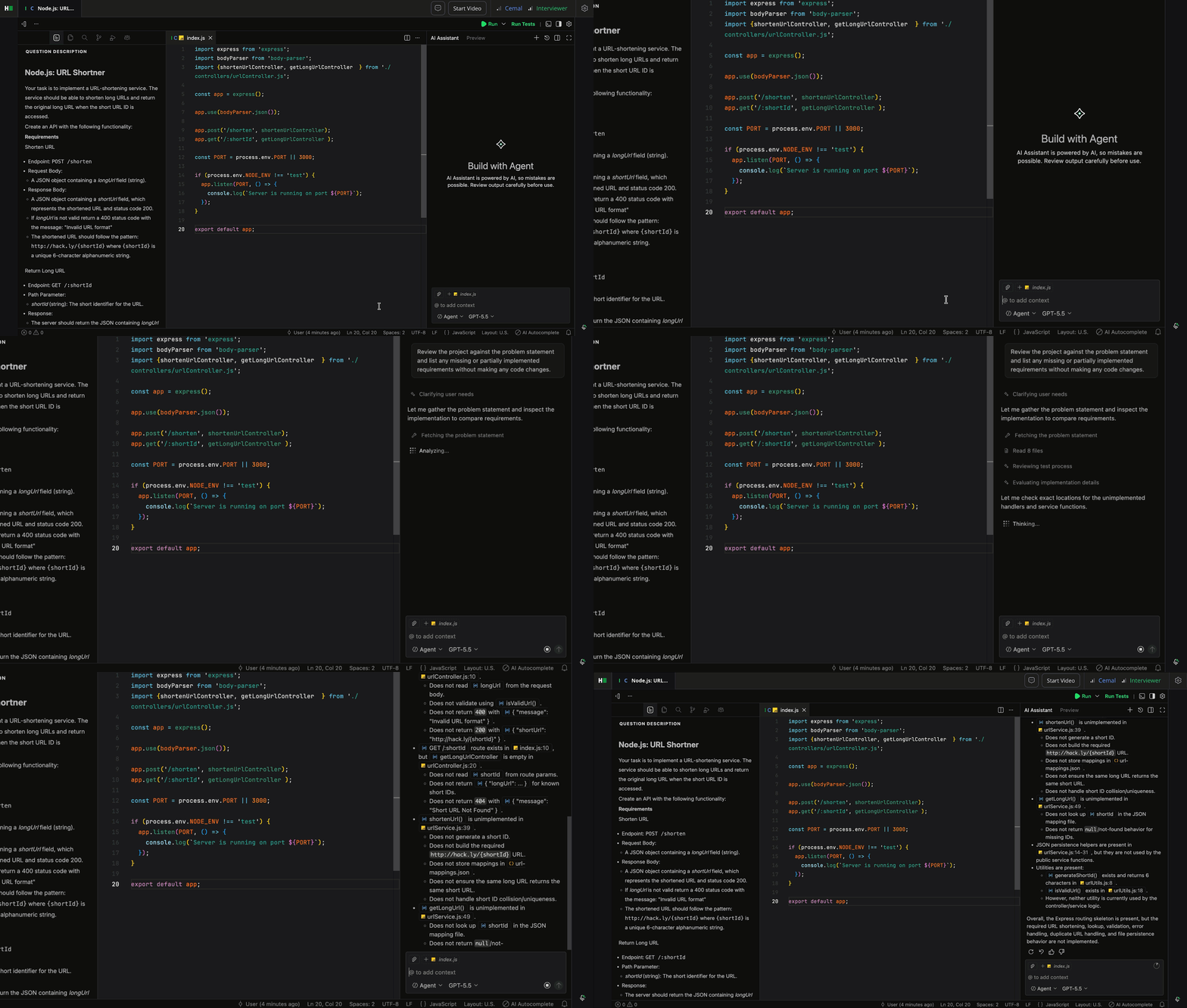
When you request an action, a Pending tool call dialog appears.
Click Allow to proceed or Cancel to stop the action.
Inline Code Completions: As you type, the AI Assistant suggests code directly in the editor. You can accept or ignore these suggestions.
Feature availability by mode
The table below shows the availability of AI Assistant features in each mode:
Feature | Guarded Mode | Unguarded Mode |
Plan Mode | Not Available | Available |
Ask Mode | Available | Available |
Agent Mode | Not Available | Available |
Inline Code Completions | Not Available | Available |
Model Switching | Not Available | Available |
Best practices
Use the AI Assistant to support your workflow, not replace it.
Ask for clarifications or syntax help when necessary.
Review and understand all AI suggestions before using them.
Communicate your reasoning with the interviewer while using AI.
Frequently Asked Questions (FAQ)
Can I choose not to use the AI Assistant?
Yes. You can choose not to interact with the AI Assistant during your interview.
Does my interviewer see what I type in the AI Assistant?
Yes. The interviewer can see your prompts and the AI’s responses in real time and in the interview report.
Is the AI Assistant available in every interview?
No. Availability depends on the interview setup and the type of question.