Answer Cloud Questions
Last updated: April 22, 2026
Cloud questions are designed to assess your skills in cloud computing using real-world scenarios on platforms such as AWS and Azure. The HackerRank platform provides temporary access to a cloud provider’s UI console, allowing you to perform hands-on tasks during the test.
Note: The Instructions section on the test login page displays whether the test includes cloud questions.
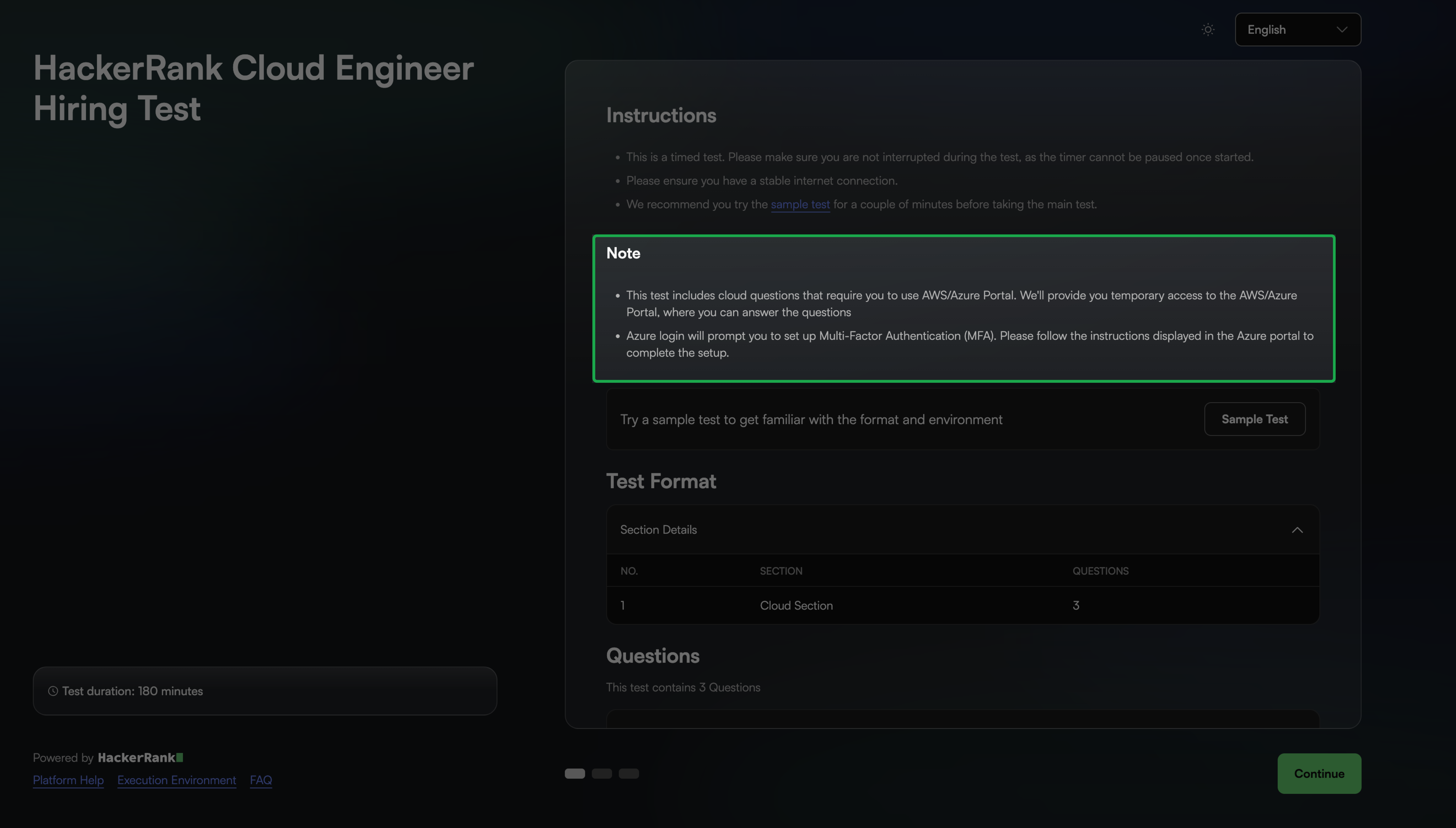
Answering cloud questions
To answer a cloud question:
Log in to your HackerRank test. For instructions, see Logging into HackerRank Tests.
Select a cloud question from the Test home and click Solve.
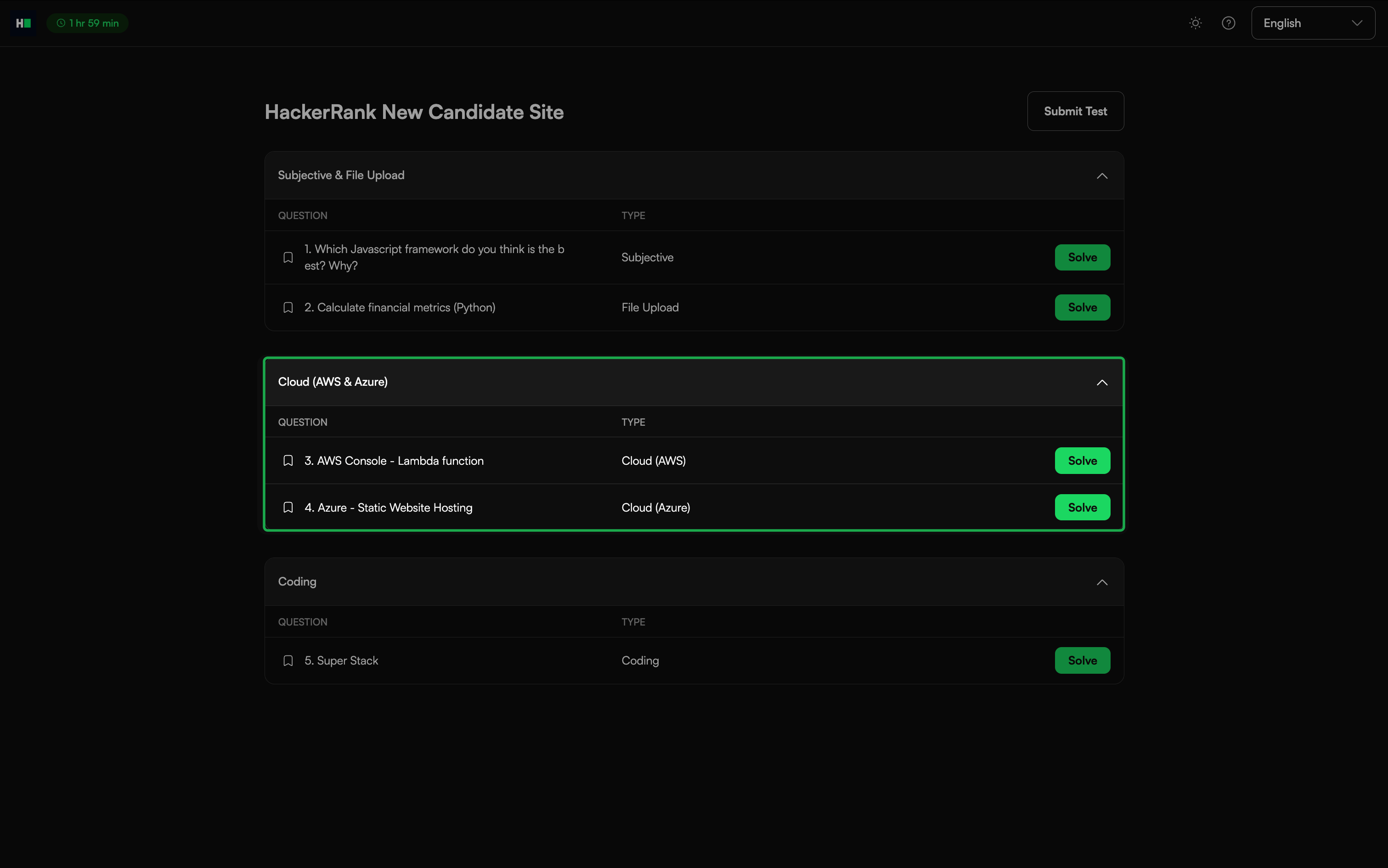
Access the Cloud console using one of the following methods:
For AWS:
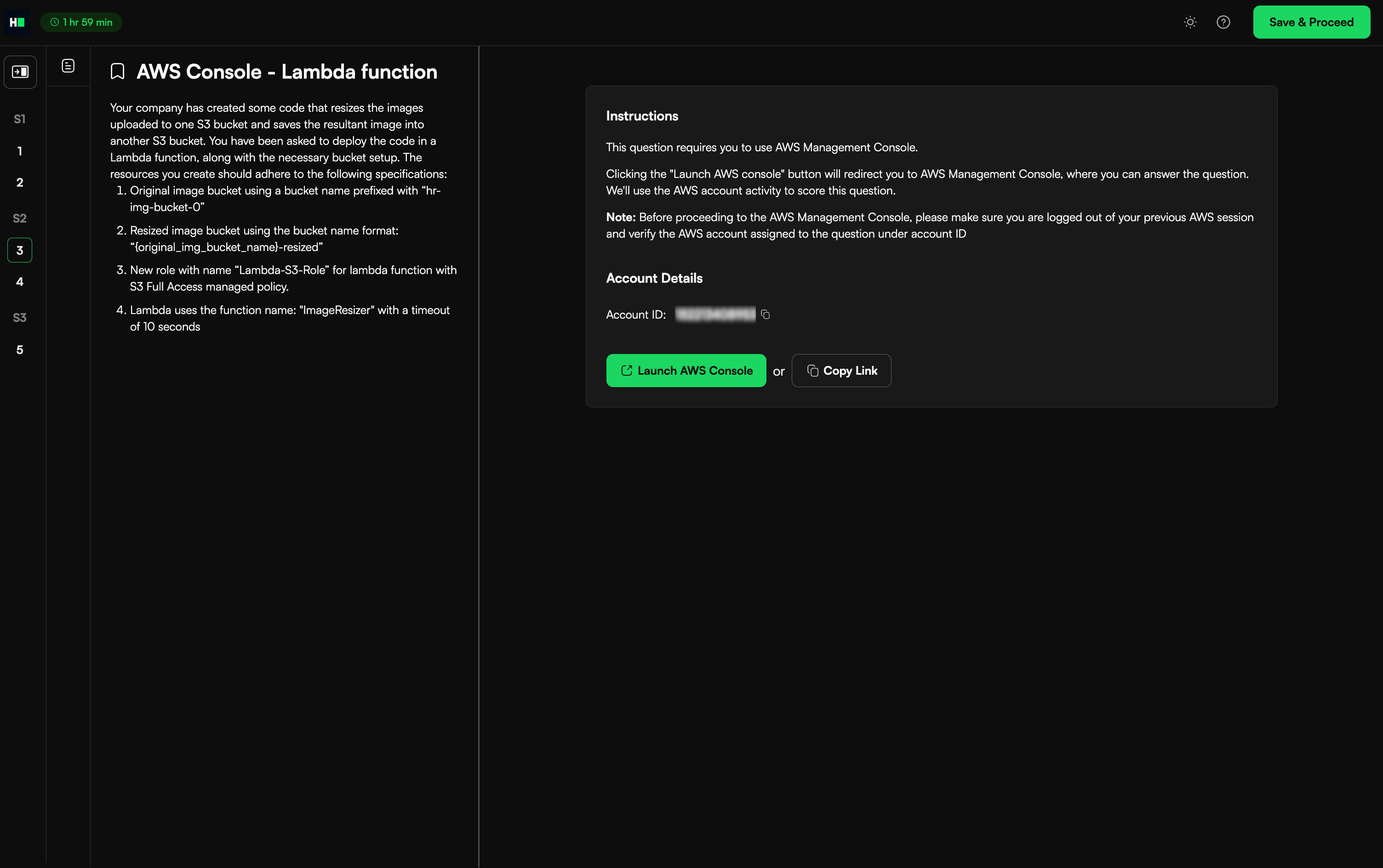
Click Launch AWS Console to open the console in a new browser tab, or click Copy Link to open the console manually.
Complete the assigned task in the AWS console. The system saves your progress automatically.
For Azure:
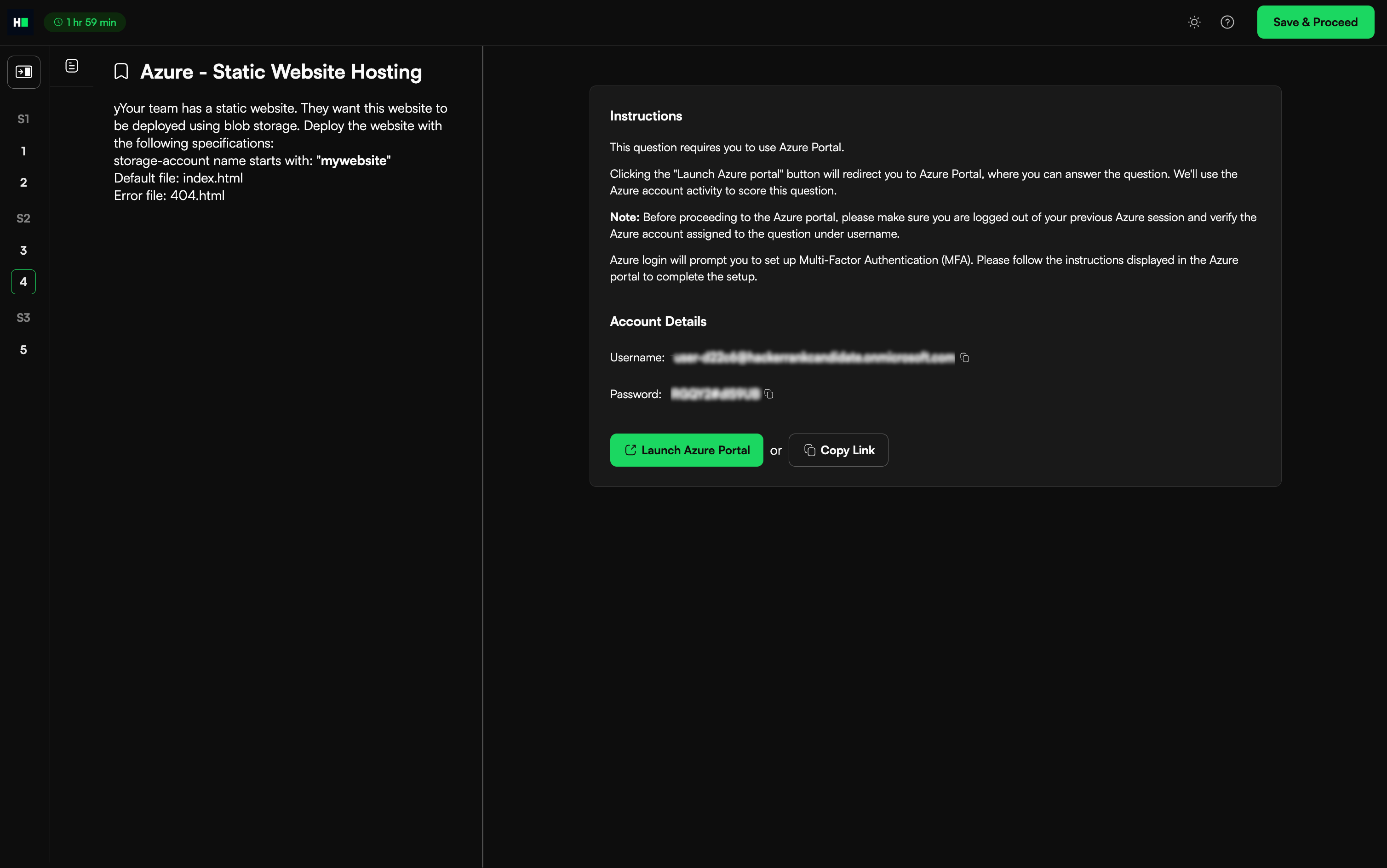
Click Launch Azure Portal to open the console in a new browser tab, or click Copy Link to open it manually.
Complete the assigned task in the Azure Portal. The system saves your progress automatically.
Note: Keep track of the test timer while working in the AWS or Azure console tab.
Check account usage in AWS/Azure.
Note:
Use the unique AWS account provided for each cloud question.
Log out of any previous AWS accounts before starting a new question.
Close the AWS/Azure workspace window.
Click Save and Proceed to save your answer and move to the next question. If the test contains only one question, this action returns you to the Test Dashboard.
Click Submit Test after you complete all questions to finalize your submission.
Note: If you need to make changes before the test ends, click Modify to edit your response.