Answering Diagram Questions
Last updated: May 1, 2025
This article explains how to answer Diagram Questions in HackerRank Tests using the integrated draw.io diagramming tool. The tool offers various pre-defined shapes for creating UML diagrams, Entity-Relationship diagrams, flowcharts, and more. Follow these instructions to understand the tool’s features and workflow.
The feature-rich draw.io diagramming tool simplifies creating complex diagrams with pre-built shapes and categories. It supports:
UML diagrams (e.g., Classes, Objects, Attributes)
Entity-relationship diagrams (e.g., Tables, Columns, Rows)
Flowcharts and others.
Refer to the draw.io training material for in-depth guidance on using this tool.
Steps to Answer Diagram Questions
Once inside the test
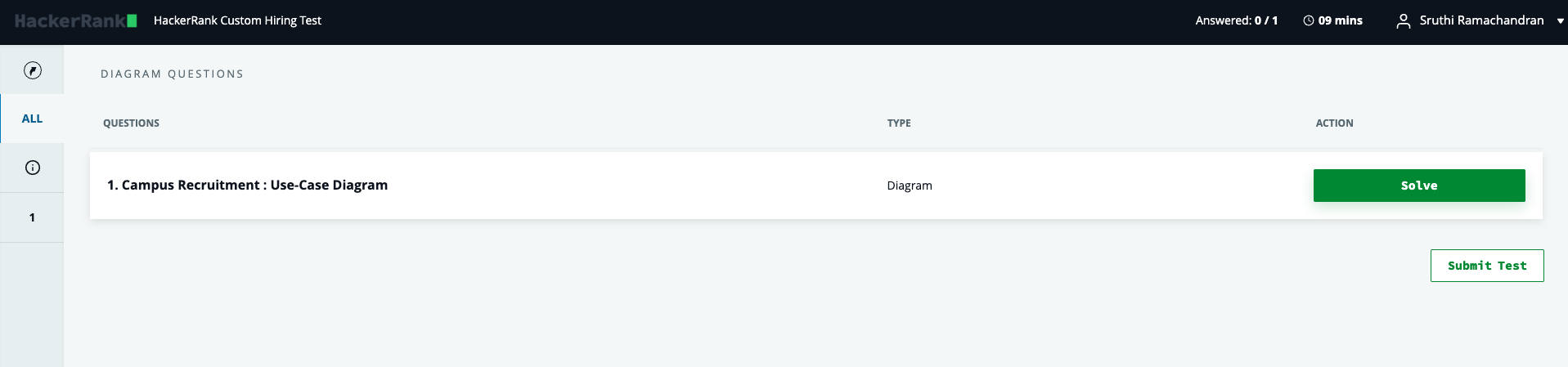
Select the relevant Diagram Question in the test or click Solve to view the question and the diagram editor.
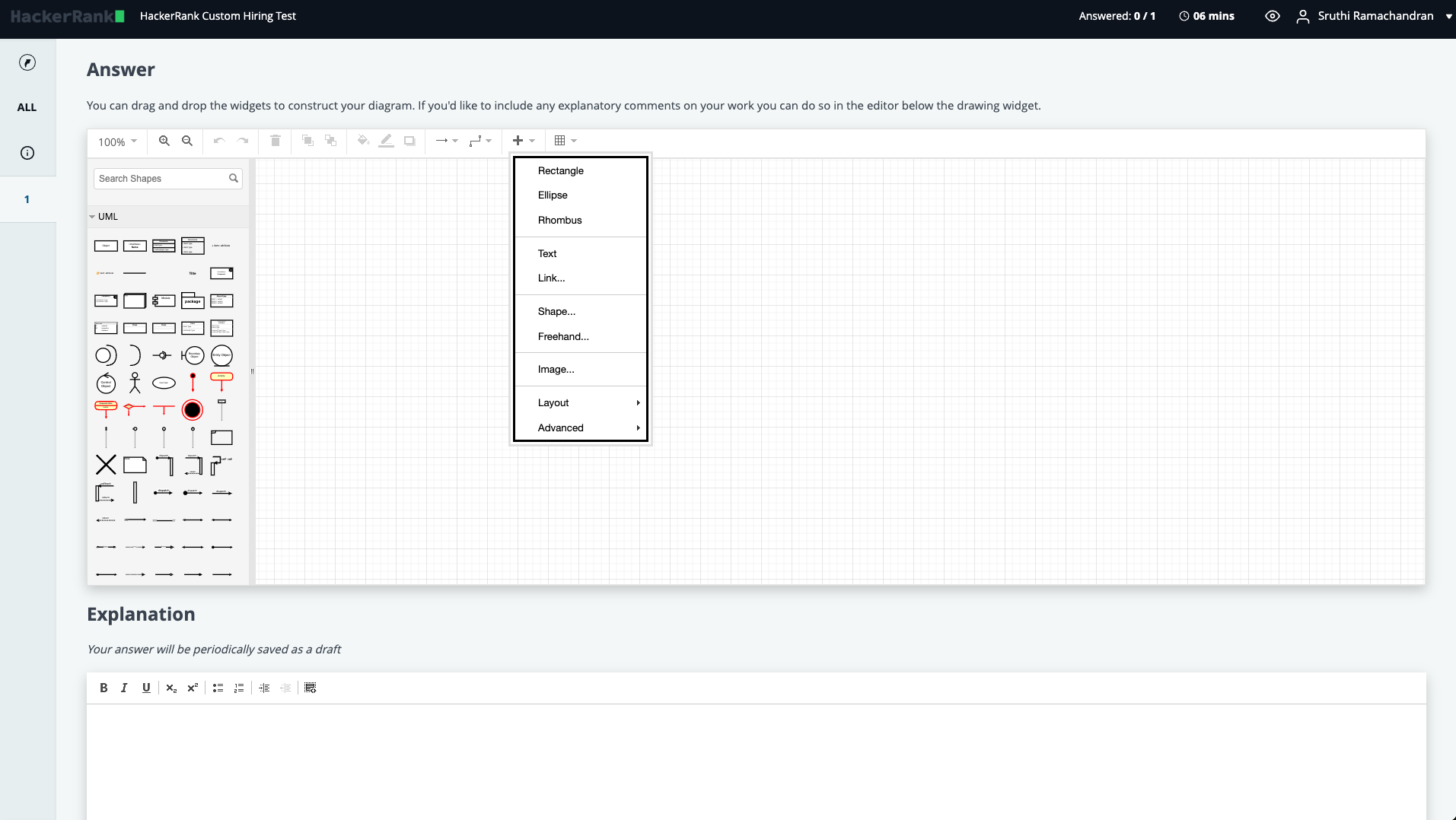
The left pane lists various shape categories, such as UML, Entity-Relationship, and more depending on the question.
Expand a category to view its shapes. E.g., Classes, Entities, Associations
Drag and drop or double-click on a shape to add it to the editor.
Edit and format Diagram Shapes
Double-click a shape to define its properties. E.g., name, attributes, data types.
Use the panel in the top menu to customize text, styles, and shape arrangements, or click on the + icon to view more options.
Describe Your Diagram
Add a textual description of your diagram in the provided Explanation area to clarify its purpose.
Save and Submit
Click Submit Answer to save.
You can modify and resubmit before the test ends.
When you finish the test, click Submit Test and confirm.
Notes
Only shape categories allowed by the test setter will appear in the left pane. For example, if creating a UML diagram, only UML-related shapes might be available as seen in the image above.
Make sure to adhere to the test requirements when designing your diagram.
Tips for Effective Diagramming
Keep diagrams clear and concise.
Label shapes appropriately to represent their purpose.
Use formatting options to enhance readability.