Frequently Asked Questions on HackerRank Interviews
Last updated: June 5, 2025
Before The Interview
How can I login to the Interview?
There are two ways in which you can log in to a HackerRank Interview.
Option 1
When you receive the Interview invitation email
Once the hiring company schedules an interview with you on HackerRank, you will receive an interview invitation email at your registered email address.
Click on the Start Interview button in the email to open the interview login page.
Accept any cookies if prompted and enter your name in the Join as Candidate section. And click on Join.
Upon clicking on the Join button, it will take you to the HackerRank Lobby. It would be best to wait here till the interviewer or hiring manager admits you to the interview.
Option 2
When your interviewer shares the Interview link separately with you
Your hiring company might share the interview joining link separately with you.
Click on the link to open the interview login page.
Accept any cookies if prompted and enter your name in the Join as Candidate section. Click on Join.
Upon clicking on the Join button, it will take you to the HackerRank Lobby. It would be best to wait here till the interviewer or hiring manager admits you to the interview.
Do I need a HackerRank account to attend the Interview?
No, you do not need a HackerRank account to join an Interview. However, the hiring process usually starts with a test, and to attempt HackerRank tests, you must have a HackerRank account.
Which browsers shall I to attend HackerRank interviews?
HackerRank Interviews are best supported on the latest versions of Mozilla Firefox, Google Chrome, and Safari browsers. Both on the Windows and MAC systems.
Please check Browser Recommendations for the Best Experience for more information.
When shall I login to the Interview?
Make sure you log in at least a few minutes before the scheduled time. Once you log in, you will be added to the HackerRank Lobby, where you will wait till your interviewer admits you into the interview.
What kind of questions can be expected in HackerRank Interviews?
HackerRank supports different types of questions across multiple programming languages. Your Interview will include questions based on the role you have applied for and the skills required in the candidates being interviewed for the role.
Example: If you have applied for a Front-end Developer role, you can expect coding and technical questions related to Front-end software development using Angular, React, or other frameworks.
Please check Question types in HackerRank Interviews for more information.
Can I attend HackerRank Interviews on my phone?
We do not recommend taking HackerRank interviews on your phone. You must attend the interview on your computer for a pleasant experience. We recommend using the latest versions of Google Chrome, Mozilla Firefox, or Safari browsers.
Can I reschedule my interview or assessment on the HackerRank platform?
No. The HackerRank platform does not support rescheduling interviews or assessments directly. The hiring company manages all rescheduling decisions. If you need to reschedule, contact the hiring team.
Can I retake an assessment or request a new test link on the HackerRank platform?
No. HackerRank does not support reactivating test links or allowing assessment retakes. To request a new test link or permission to retake an assessment, contact the recruiter or hiring team at the company where you applied.
During The Interview
Can I leave in between the Interview?
No, there is no such option for the candidates to leave between the interviews. Only the Interviewer can end the interview or move a candidate to the lobby.
How can I know the time duration of an Interview?
Usually, there is no time duration for interviews. Interviewers decide when the interview will start and when it ends. In case of a scheduled interview, you might receive a mail where the timings will be mentioned. However, the interviewer can reduce or extend the duration when required.
What can I do when a question does not load properly?
If you are experiencing slow net speeds, some page components may not load properly. Such issues are generally solved by refreshing your browser tab/window. Refreshing your browser tab while in an interview will not affect your flow. You will be brought back to exactly where you were, and you can continue solving problems.
Note: You can monitor your network strength on the top right corner of the interview page.
The font in dark mode is black. How can I change it?
You may sometimes get the black font in dark mode Interviews if you are using a Mac OS device. There are two solutions to this issue. There are two solutions to this issue.
Solution A
Open the font book and search for Source Code Pro.
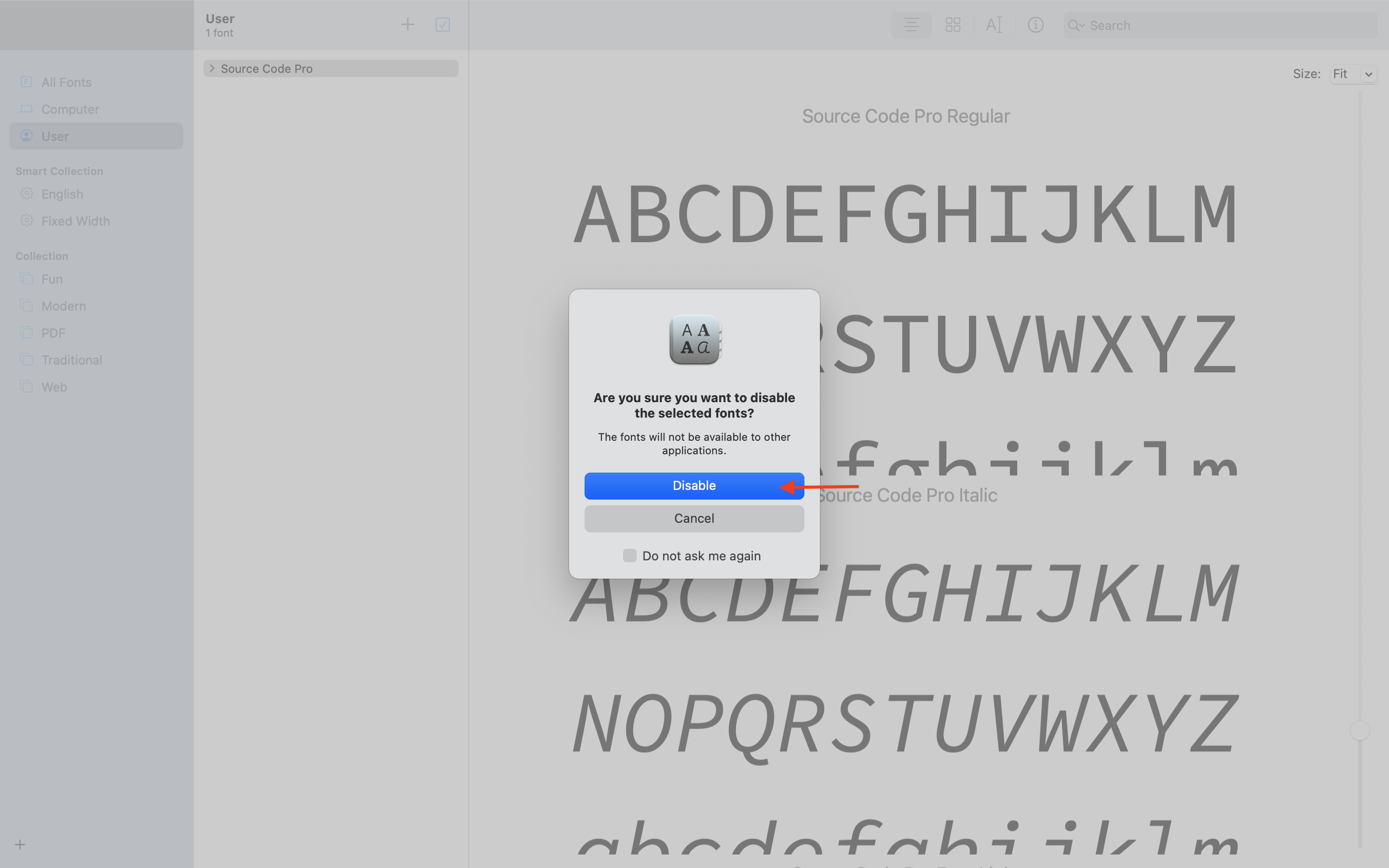
Right-click on the Source Code Pro, select disable the Source Code Pro family and select Disable from the popup.
Download the Source Code Pro family from the Google fonts store.
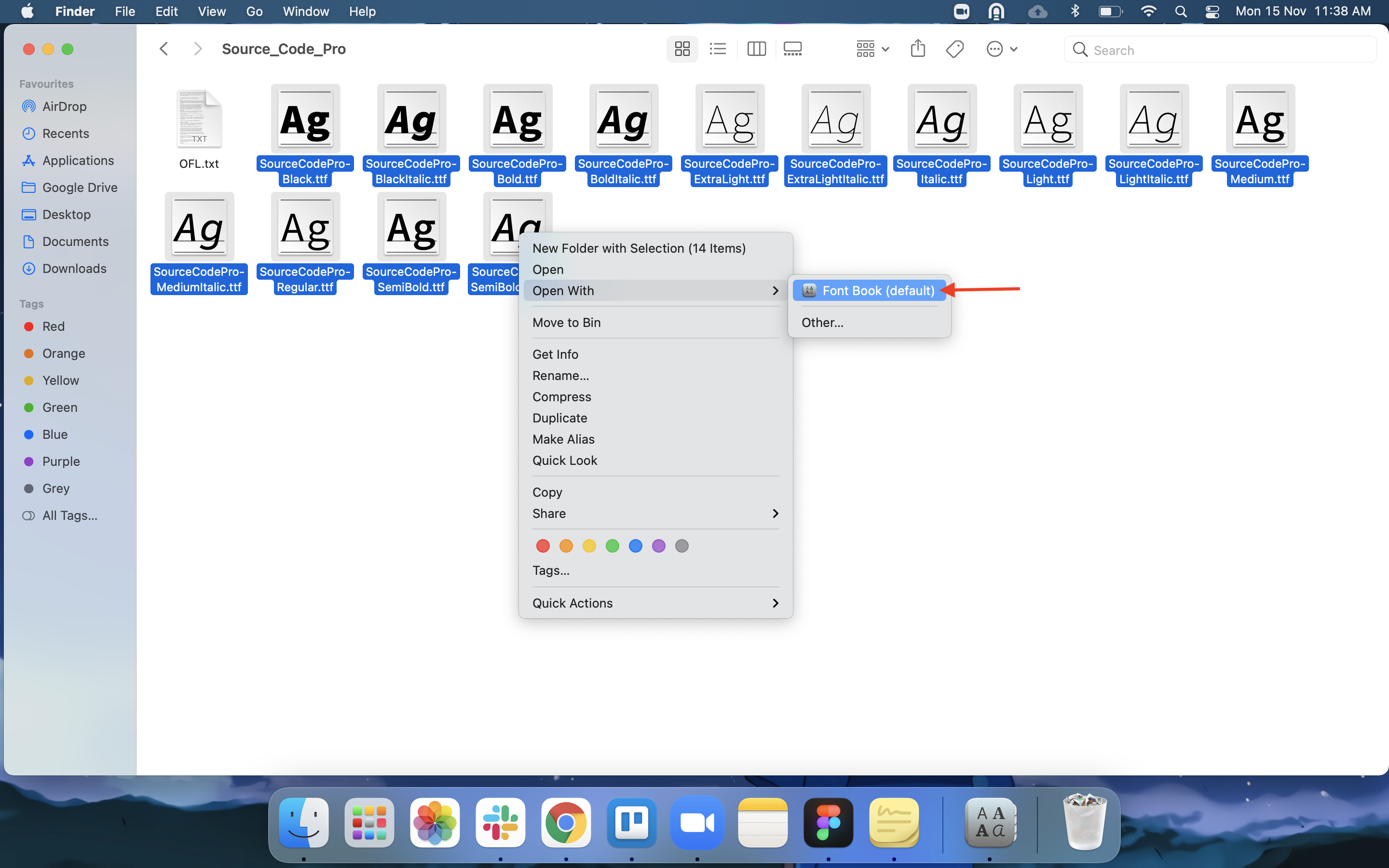
Install the Source Code Pro family as shown in the below screenshots.
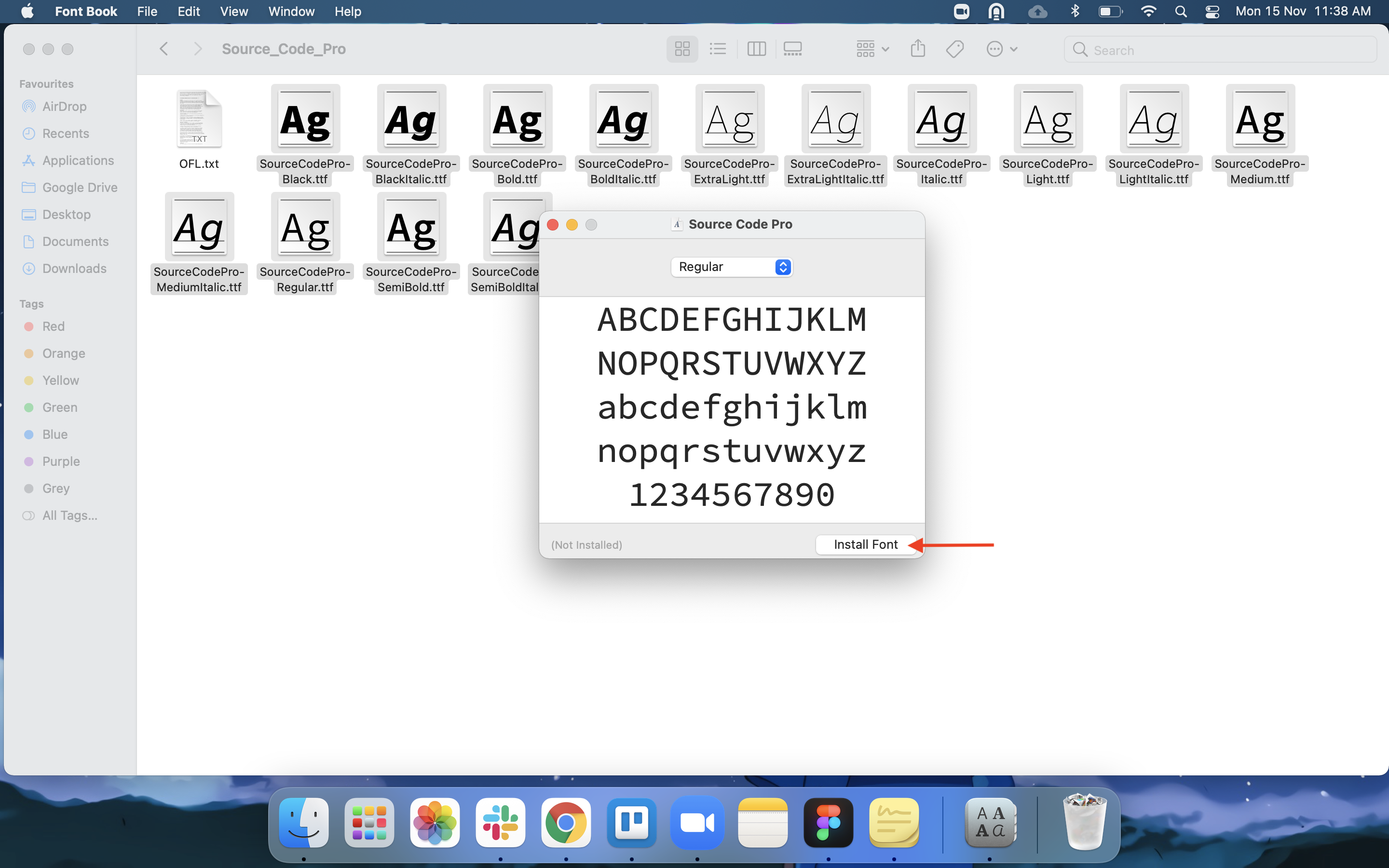
Refresh the interview page once the installation is completed. It will show the colored font as usual.
Solution B
This problem usually occurs when using any third-party browsers on Mac OS devices. Opening the interview in the Safari browser should solve the problem.
After The Interview
I have completed giving the Interview. When will I get my result?
Your recruiting company will review the attempt and get back to you. This might take some time. We advise you to be patient during this period.